
Table of contents
Adding a Product Group in SiteBook
 Did this answer your question?😞😐😃
Adding a Product Group in SiteBook
Updated over 6 months ago Table of contentsNavigating to Unit of Measure List
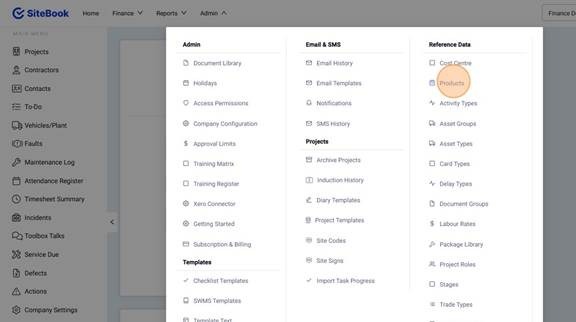
1. Select the Admin Menu
2. Click "Products" under Reference Data.
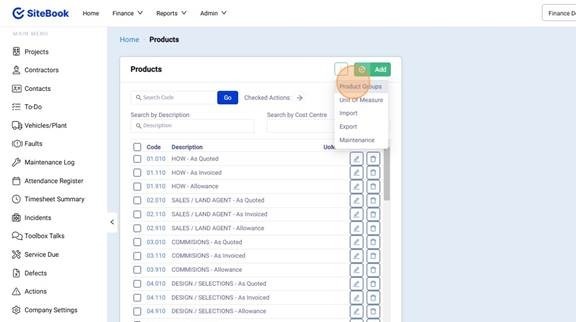
3. Open the "Settings" Menu and click "Product Groups"
Add a New Product Group
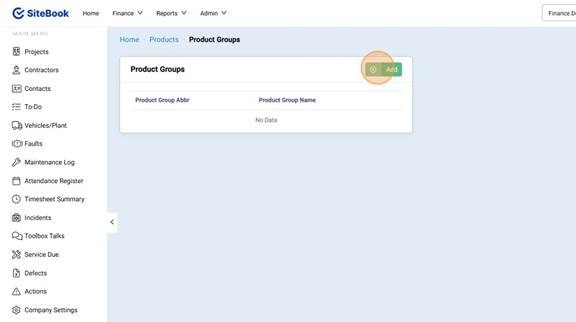
4. Select "Add" to create a new Product Group.
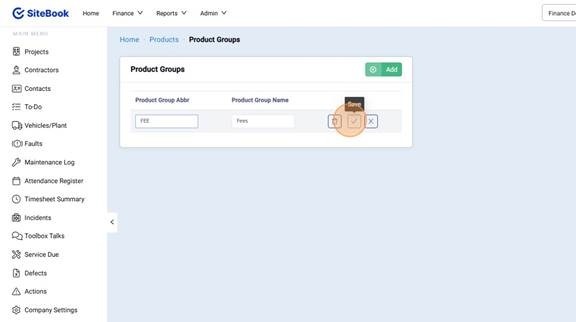
5. After Adding your new Group click the "Tick" Icon to Save.
Did this answer your question?😞😐😃