
Assign Contractors to Project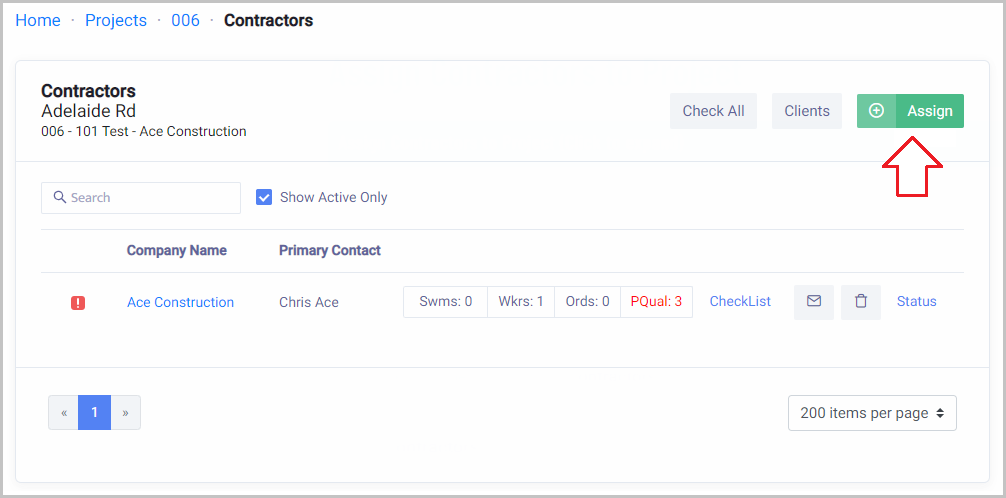
 Did this answer your question?😞😐😃
Assign Contractors to Project
How to assign your contractors to your Project.
Updated over a year agoAssign Contractors to Project
Home → Projects → Open Project → Contractors → Click Assign
Here you can link/assign new/existing contractors.

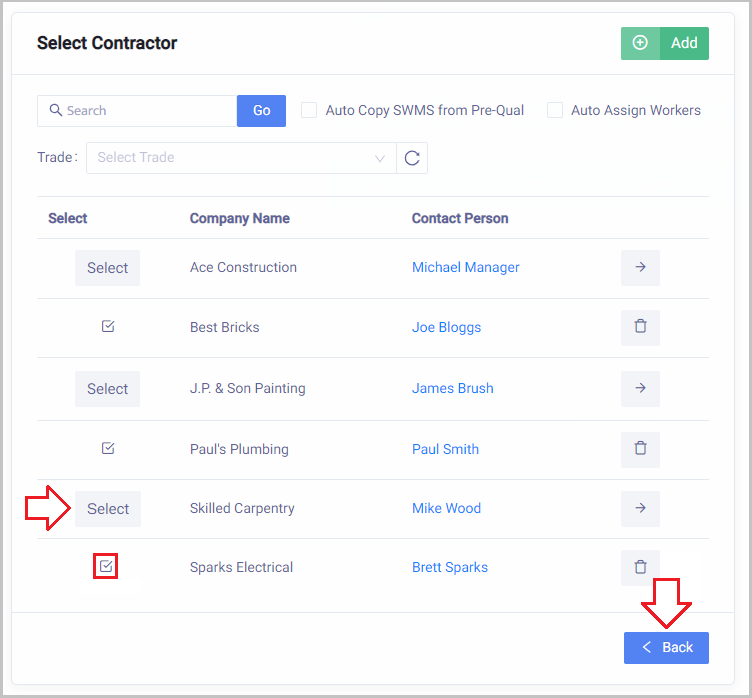
Click Select next to the Contractors/Sub-Contractors you wish to add to this project.
Once selected it will show a tick to confirm selection.
Click Back

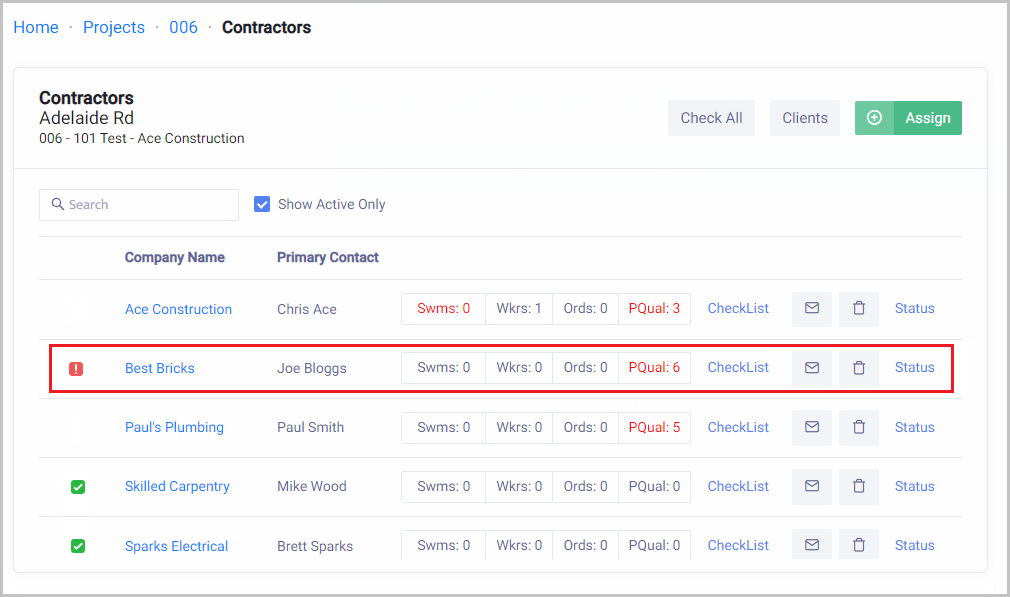
Now you will see the Contractors assigned to this Job
The main contact for the business will be emailed a request for this project and a checklist to complete.
Note:
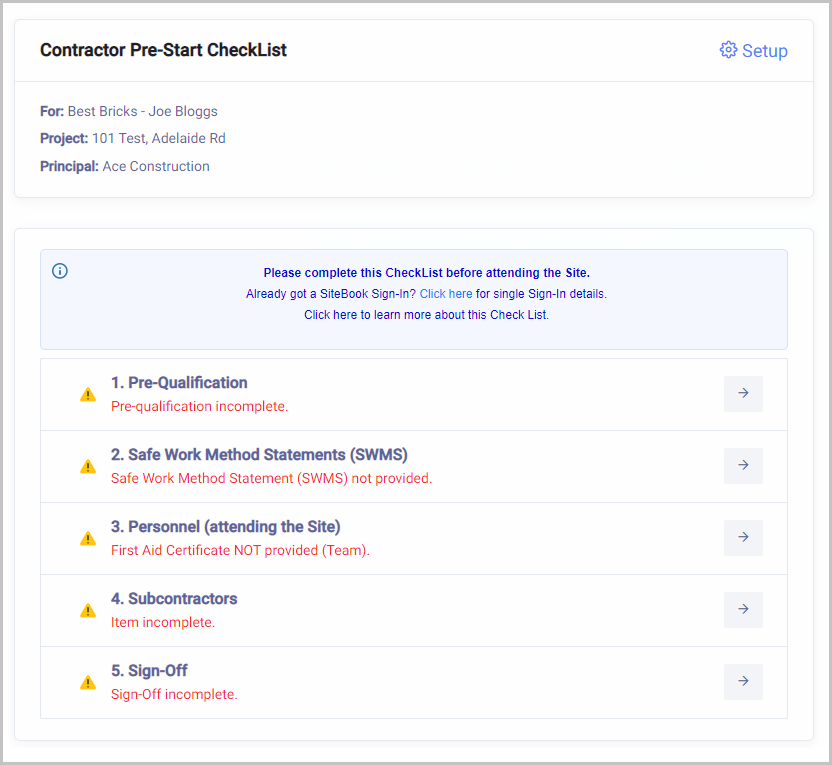
If you click on Checklist to see what the contractors are required to complete from their side.

Check List for the Contractor to Complete
 Did this answer your question?😞😐😃