
Call Up Sheet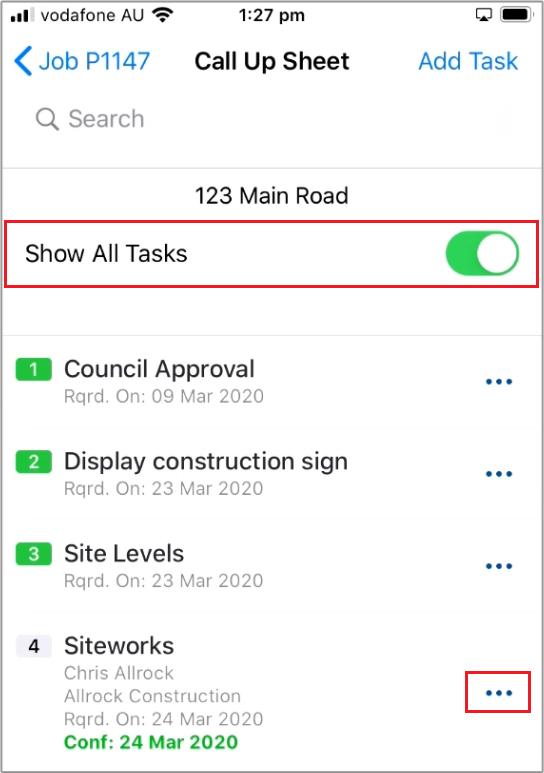
 Did this answer your question?😞😐😃
Call Up Sheet
Updated over a year agoThe Call Up Sheet shows all active Tasks and Jobs for the current worksite
Show All Tasks can be switched off to hide all completed tasks
The (. . .) icon will bring up the Menu for that task

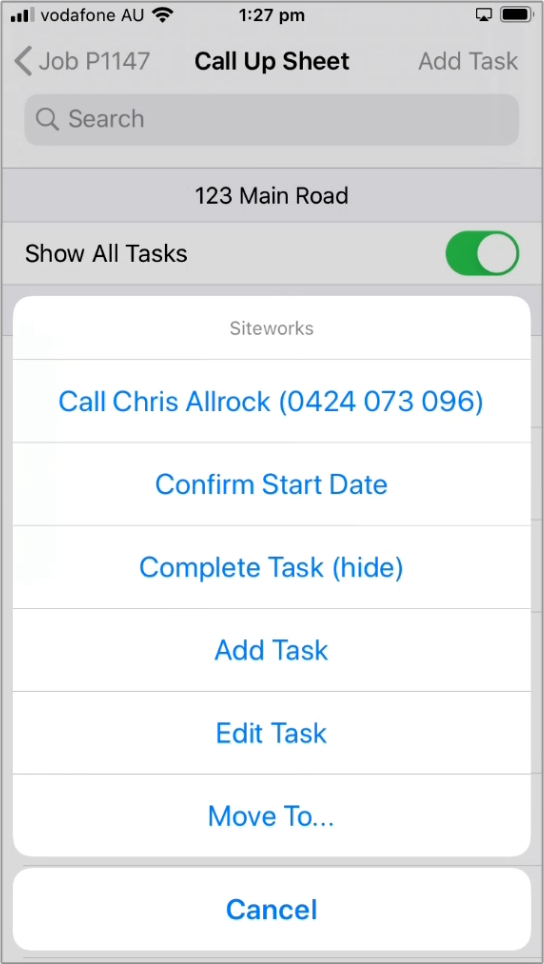
From the Task Menu you can:
Contact the asignee
Confirm the start date
Mark task as Complete
Add or Edit tasks
Move and change the task order
Contact the asignee
Confirm the start date
Mark task as Complete
Add or Edit tasks
Move and change the task order
 Did this answer your question?😞😐😃