
Table of contents
Client Claims: % of Contract Value Option (By Stage)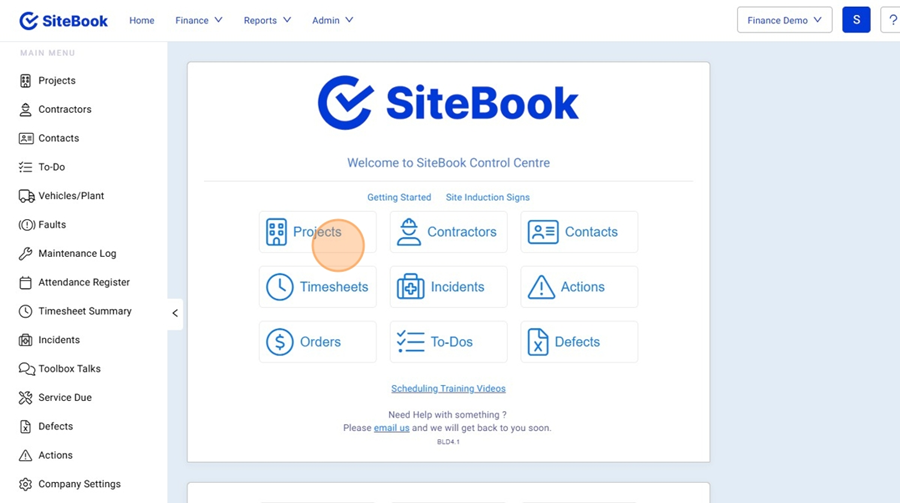
Client Claims: % of Contract Value Option (By Stage)
Updated over a week ago Table of contentsNavigating to the Claims for a Project
1. Click "Projects"

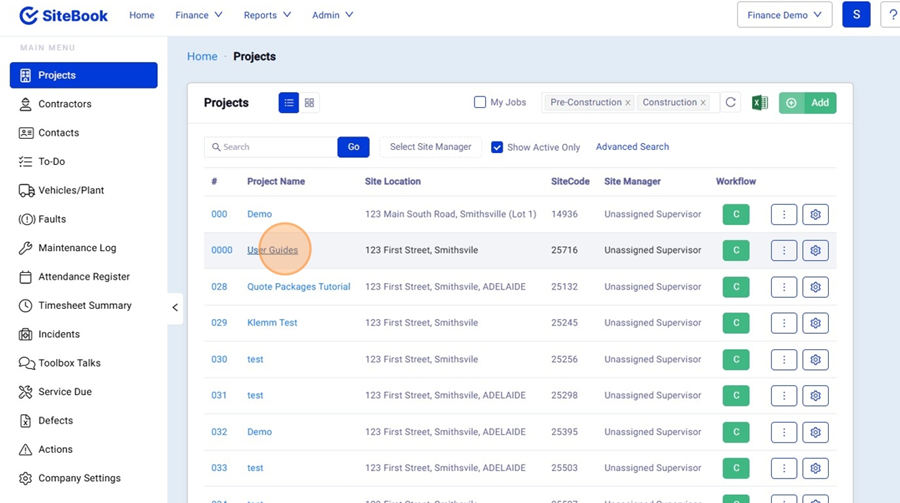
2. Select a Project from the Project List

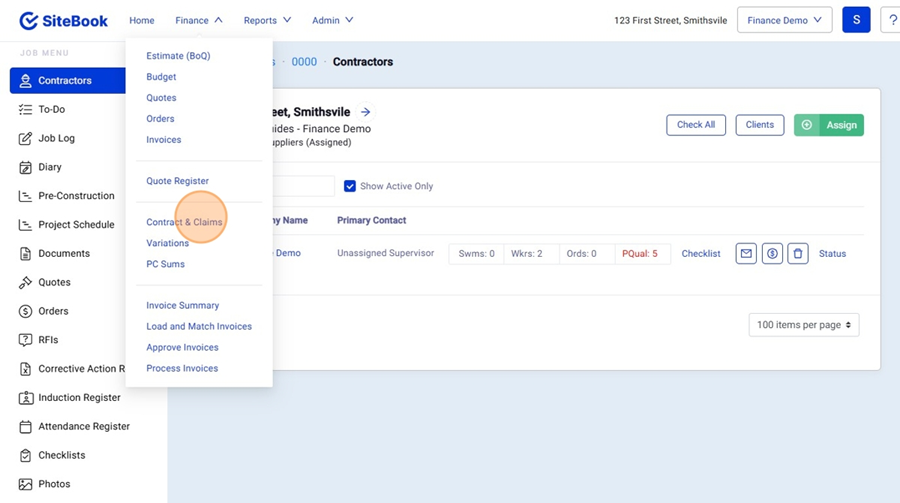
3. Open the Finance Menu and Click "Contract & Claims"

How to add Claims from a Template to a Project
You cannot copy claims from a template where there is no contract value.
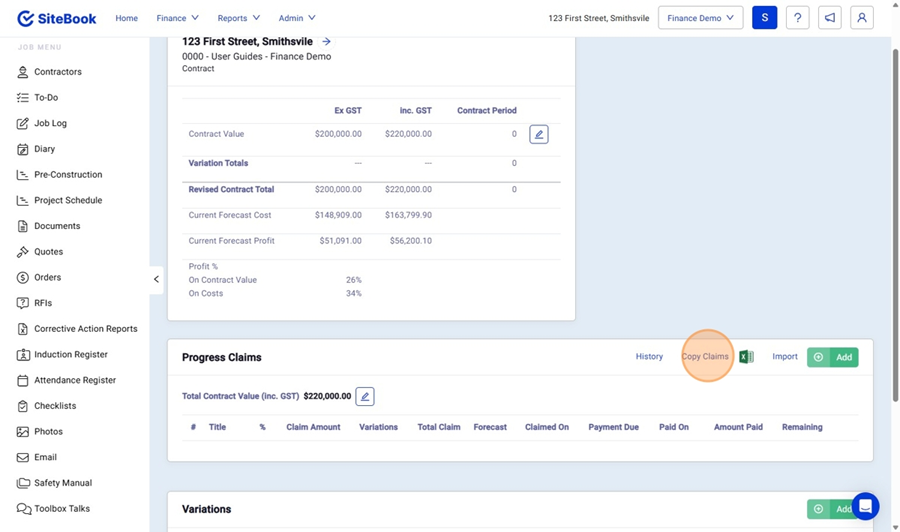
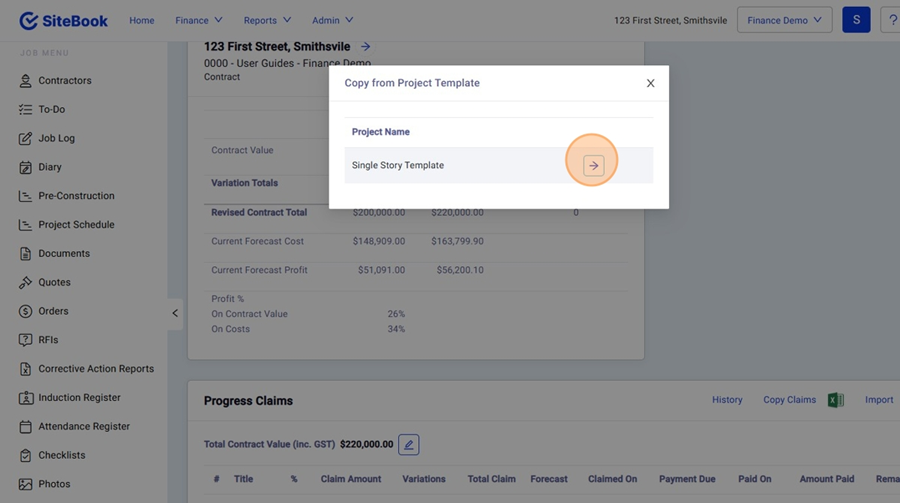
4. Under Progress Claims, Click "Copy Claims"

5. From the list, select the Template you wish to copy across.

Add a New Claim to a Project
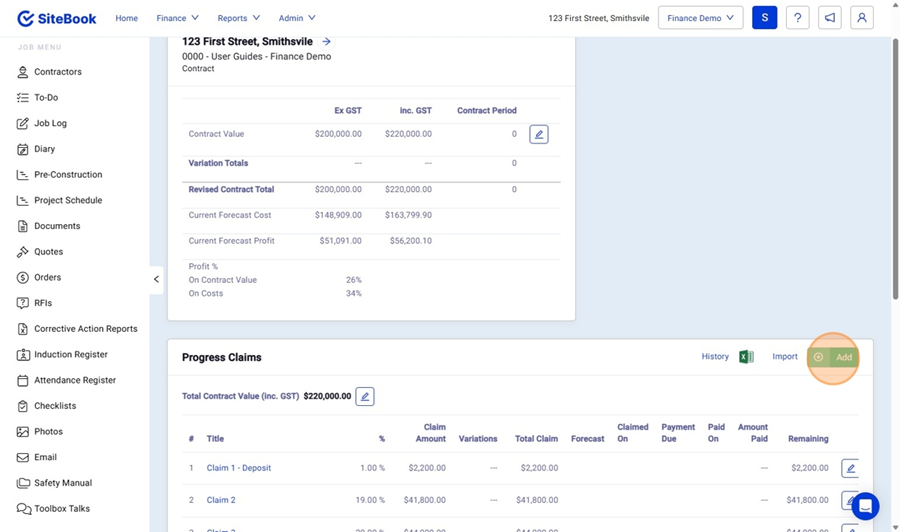
6. Under Progress Claims, Click "Add"

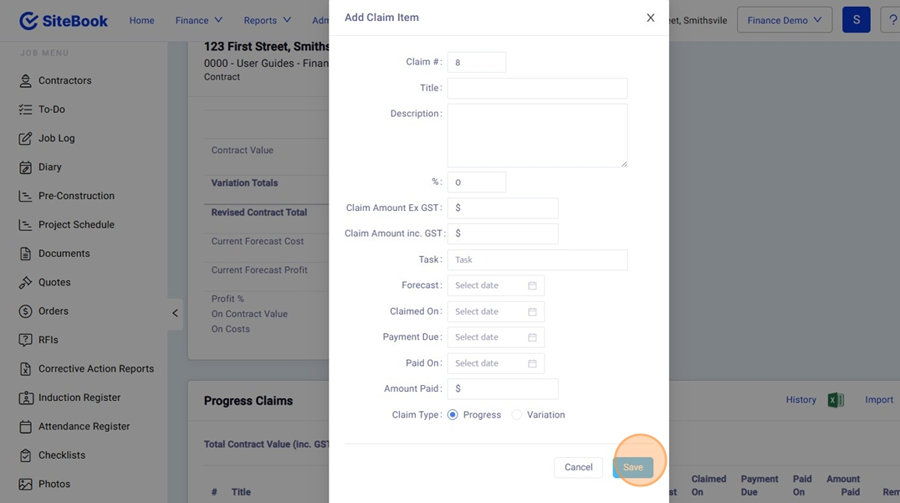
7. Edit the Values and click "Save" to Create your Claim.

Edit a Claim Details
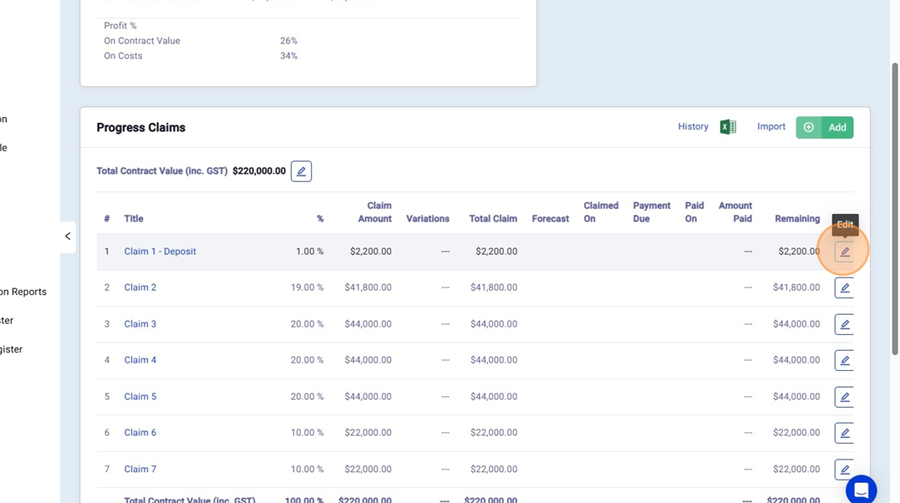
8. Select the Edit Icon next to the claim you want to Edit.

9. Here you can edit the Claim Details such as the Claim date, Paid on Date etc. You can also push this Claim to Xero and Xero will generate an Invoice automatically inside of Xero for you to send to the client.
Did this answer your question?😞😐😃