
Contractor Guide: Adding a Worker to your Pre-Start Checklist.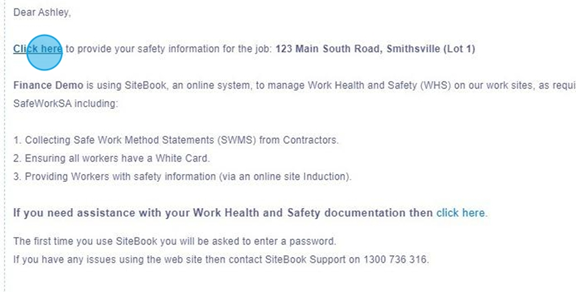
 Did this answer your question?😞😐😃
Contractor Guide: Adding a Worker to your Pre-Start Checklist.
Updated over 11 months agoYou will receive an email requesting you to Complete your Pre-Start Checklist from the Builder. Click "this link" to enter your SiteBook Account.

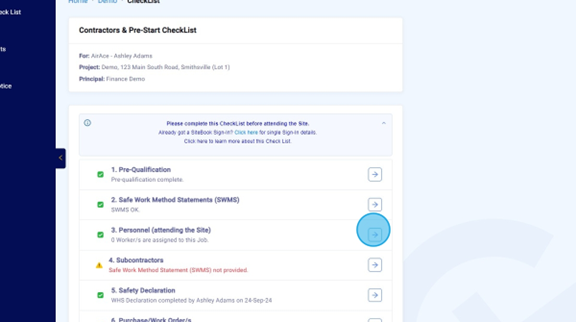
Select "Personnel".

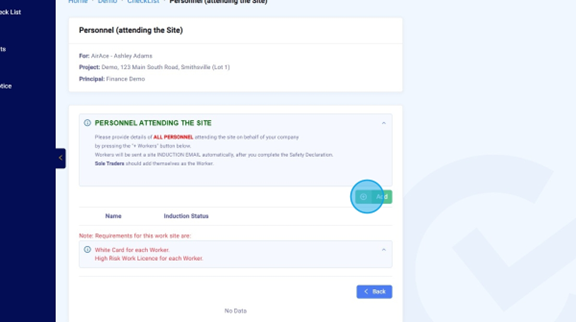
Select "Add" to assign workers to the Project.

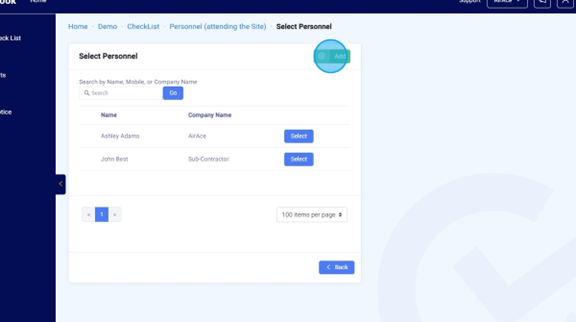
A list will appear of workers already added to the system, if you need to add a new worker select "Add".

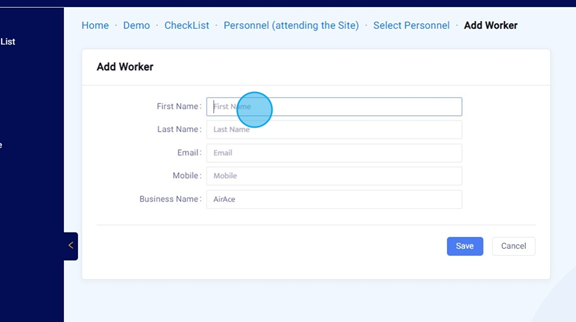
Fill in the Workers details.

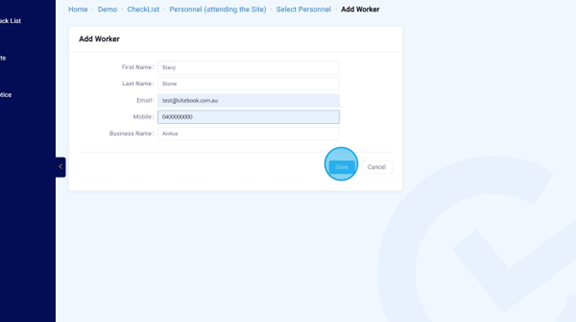
Click "Save"

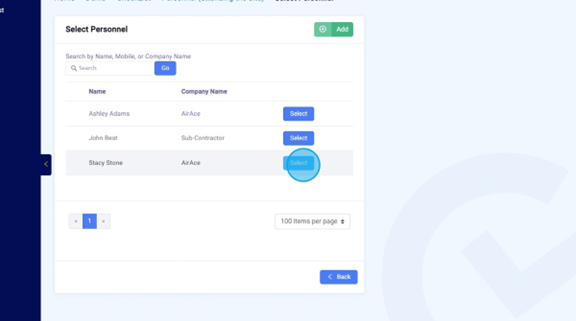
The new worker will now appear in the Personnel list. Click "Select" to assign them to the project.

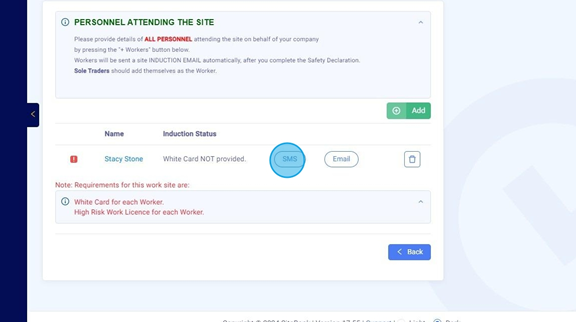
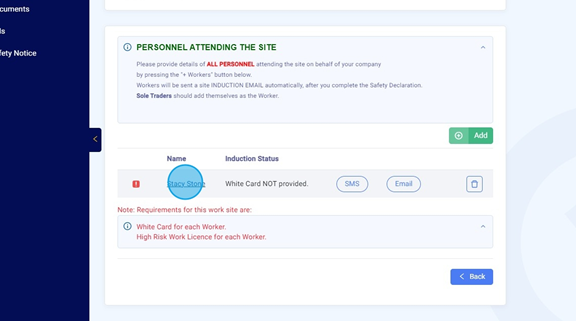
Once they have been added to the Project, you can send them an SMS or Email with a link to complete their induction by clicking the corresponding button.

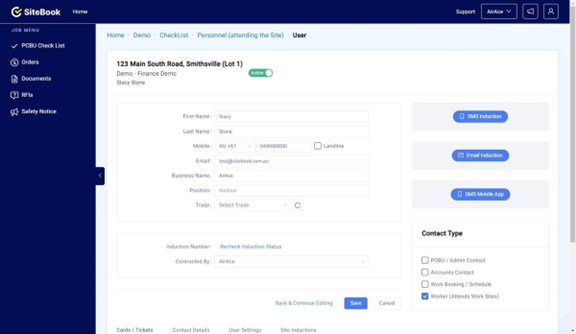
You can view their user profile by clicking their name.

User Profile.
 Did this answer your question?😞😐😃