
Corrective Action Reports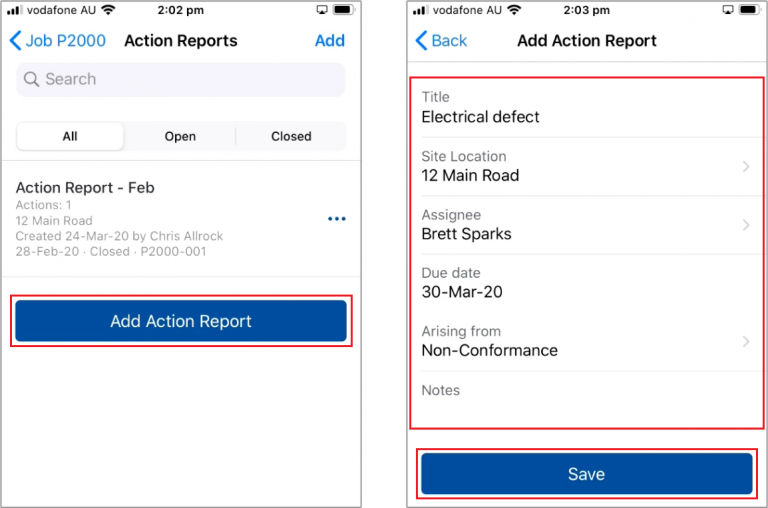

 Did this answer your question?😞😐😃
Corrective Action Reports
Updated over a year agoCorrective Action Rpts shows a list of all Action Reports for that Job
Add Action Report to start a new report
Add the report details and Save

When opening a report you'll need to add at least one Action
Add the action details
From here you can Add Another Action
Or Save to finish the report
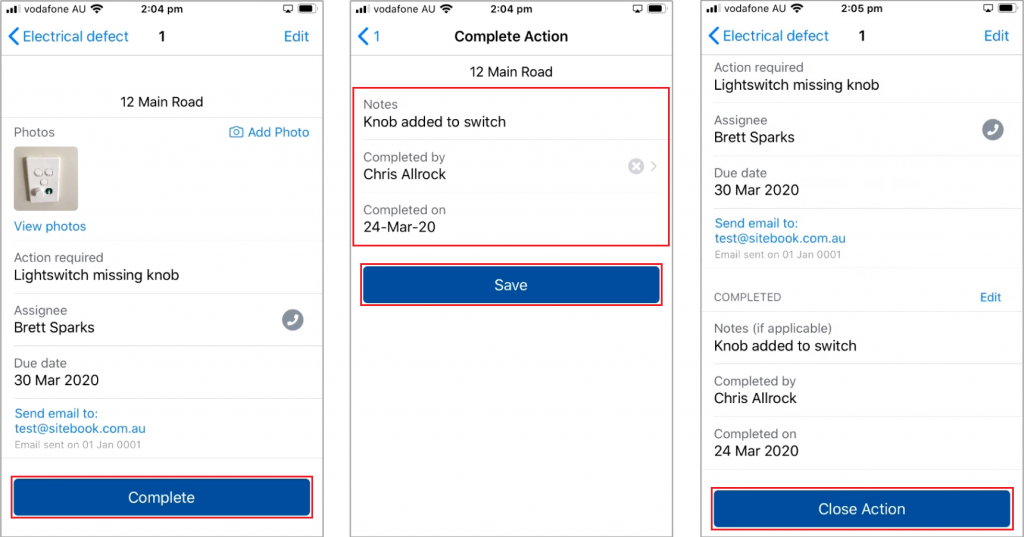
From the Report Menu, click on an Action to view it

When Viewing an Action:
Complete to mark the action as complete
Enter the completion details and Save
Close the completed action
Complete to mark the action as complete
Enter the completion details and Save
Close the completed action

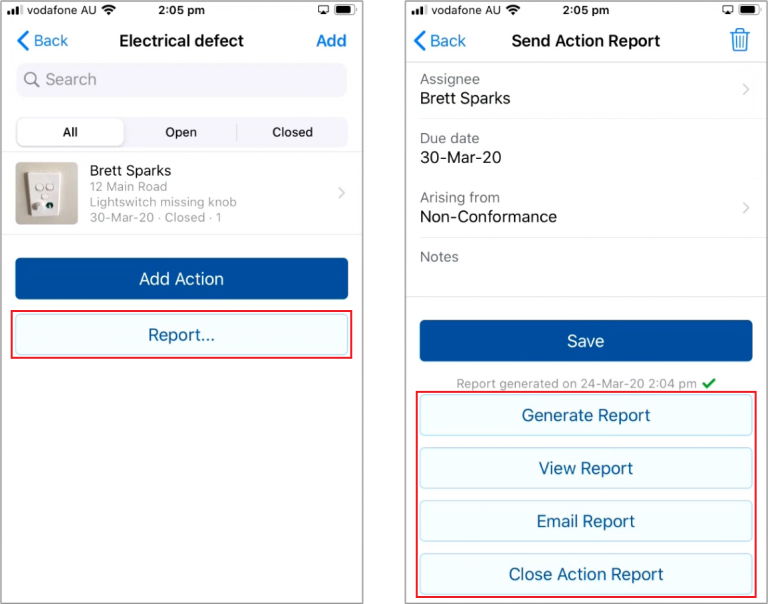
Once all actions are complete press Report...
Here you can Generate Report to save the report as a PDF
View Report
Email Report
And Close Action Report
 Did this answer your question?😞😐😃