
Table of contents
Edit My Profile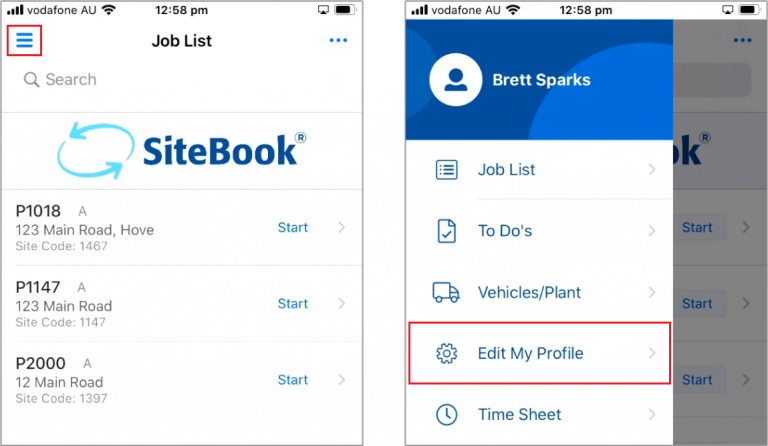
 Did this answer your question?😞😐😃
Edit My Profile
Updated over a year ago Table of contentsTo make any changes to your profile select the Hamburger Menu in the top left of the Job List
Select Edit My Profile from the slide-out menu

Edit Screen
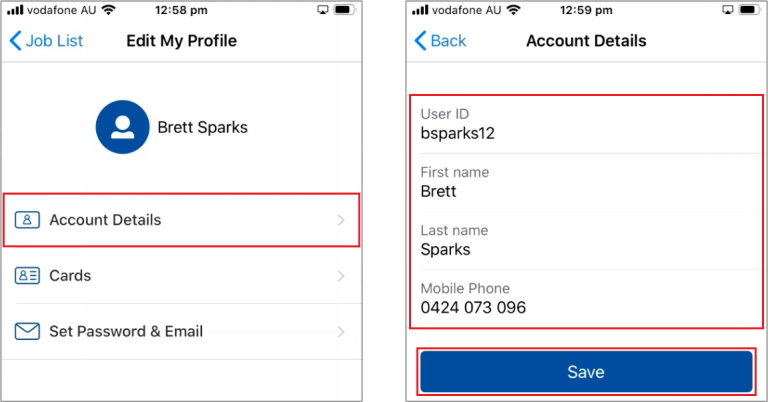
Account Details:
View your User ID
Update your First / Last Name
Update your Phone Number
View your User ID
Update your First / Last Name
Update your Phone Number
Save when finished

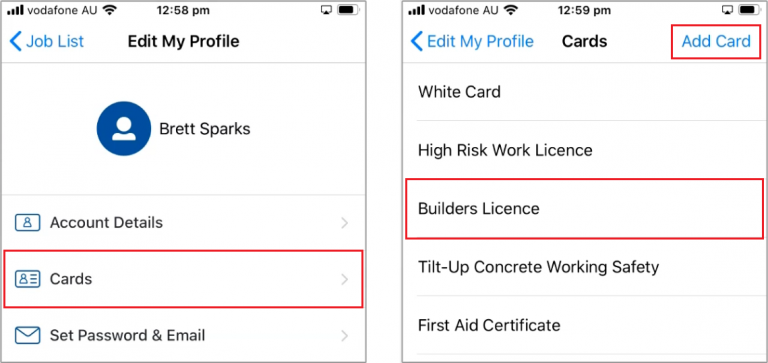
Cards will let you view and update your Cards and Licences
Add Card to add a new card
Click on a Card Name to view and edit

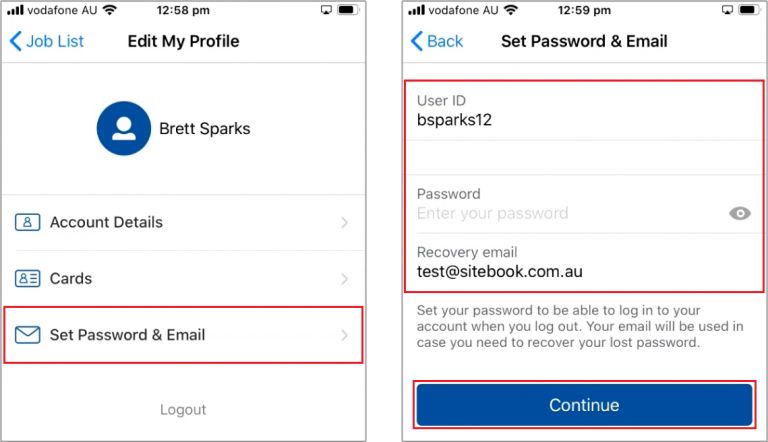
Set Password and Email
Change User ID
Change Password
Change Email
Change User ID
Change Password
Change Email
Continue to finish
 Did this answer your question?😞😐😃