
Editing a contact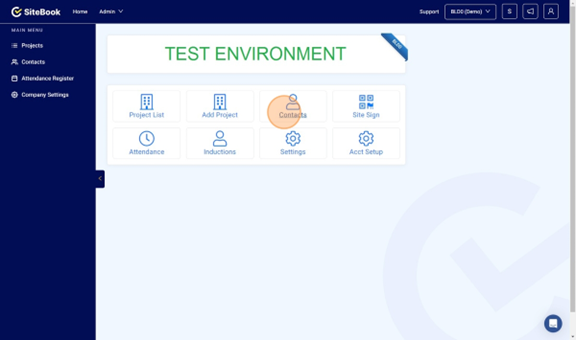
 Did this answer your question?😞😐😃
Editing a contact
This guide will show you how to edit your contacts within SiteBook
Updated over 7 months agoNavigate to https://cc.sitebook.com.au/home/homepage and click Contacts

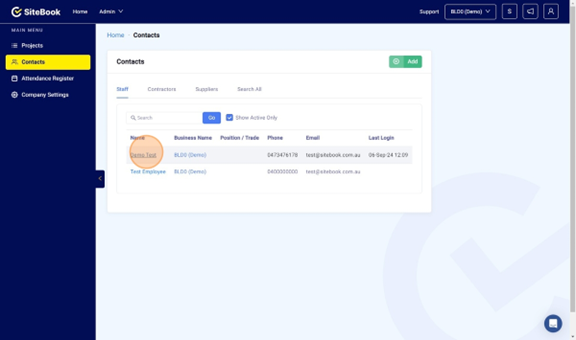
Select the Employee you wish to edit.

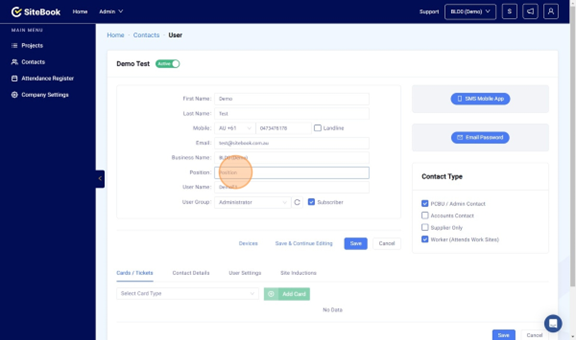
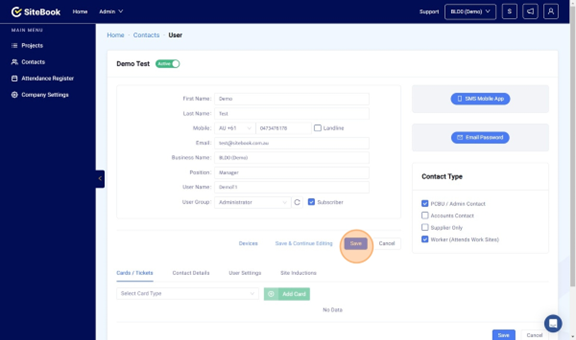
Edit the relevant fields.

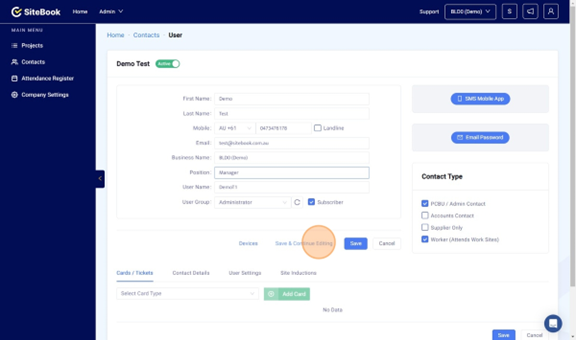
Select "Save & Continue Editing" to save you changes and stay on the current page to continue editing.

Select "Save" to save you changes and return to the contractor page.

Navigate to https://cc.sitebook.com.au/home/homepage and click Contacts
Select the Employee you wish to edit.
Edit the relevant fields.
Select "Save & Continue Editing" to save you changes and stay on the current page to continue editing.
Select "Save" to save you changes and return to the contractor page.
Did this answer your question?😞😐😃