
Table of contents
Email Documents to Contractors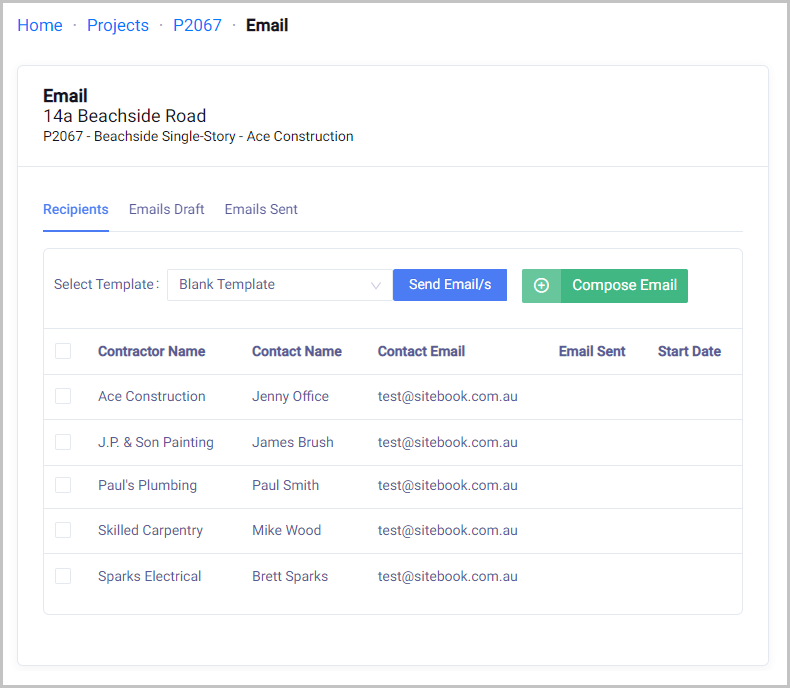
Email Documents to Contractors
Updated over a year ago Table of contentsTo compose a new email for selected Project.
Home → Projects → Select Project → Email

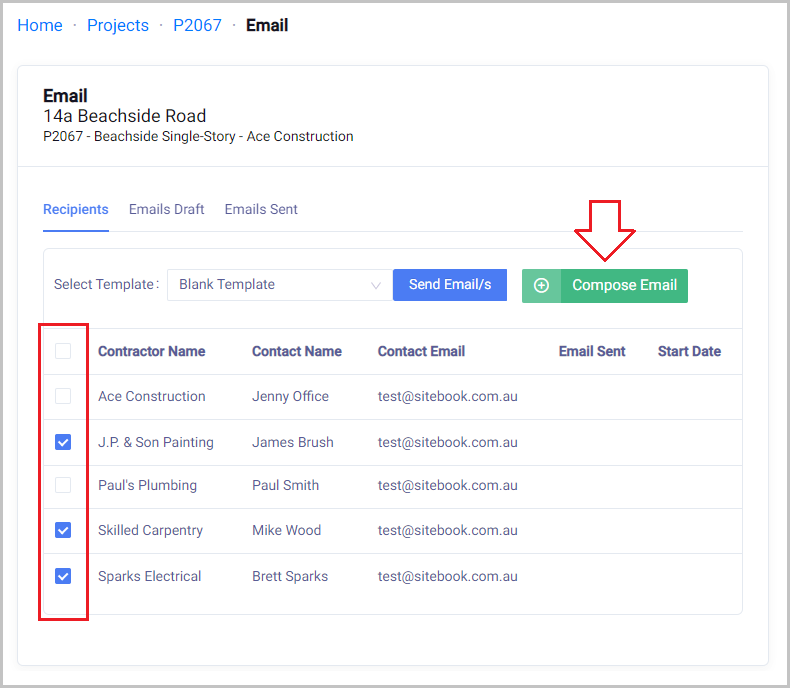
Tick the Recipients then Click Compose Email

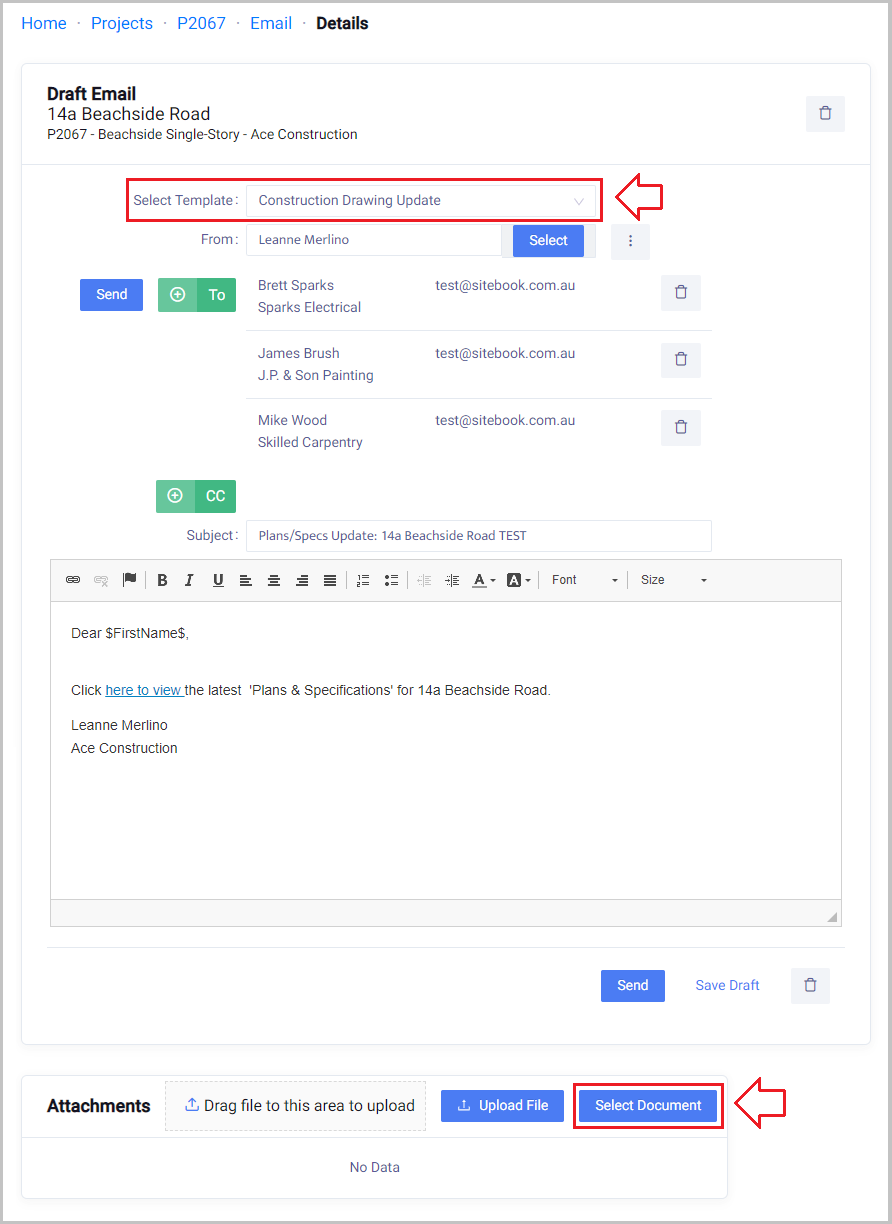
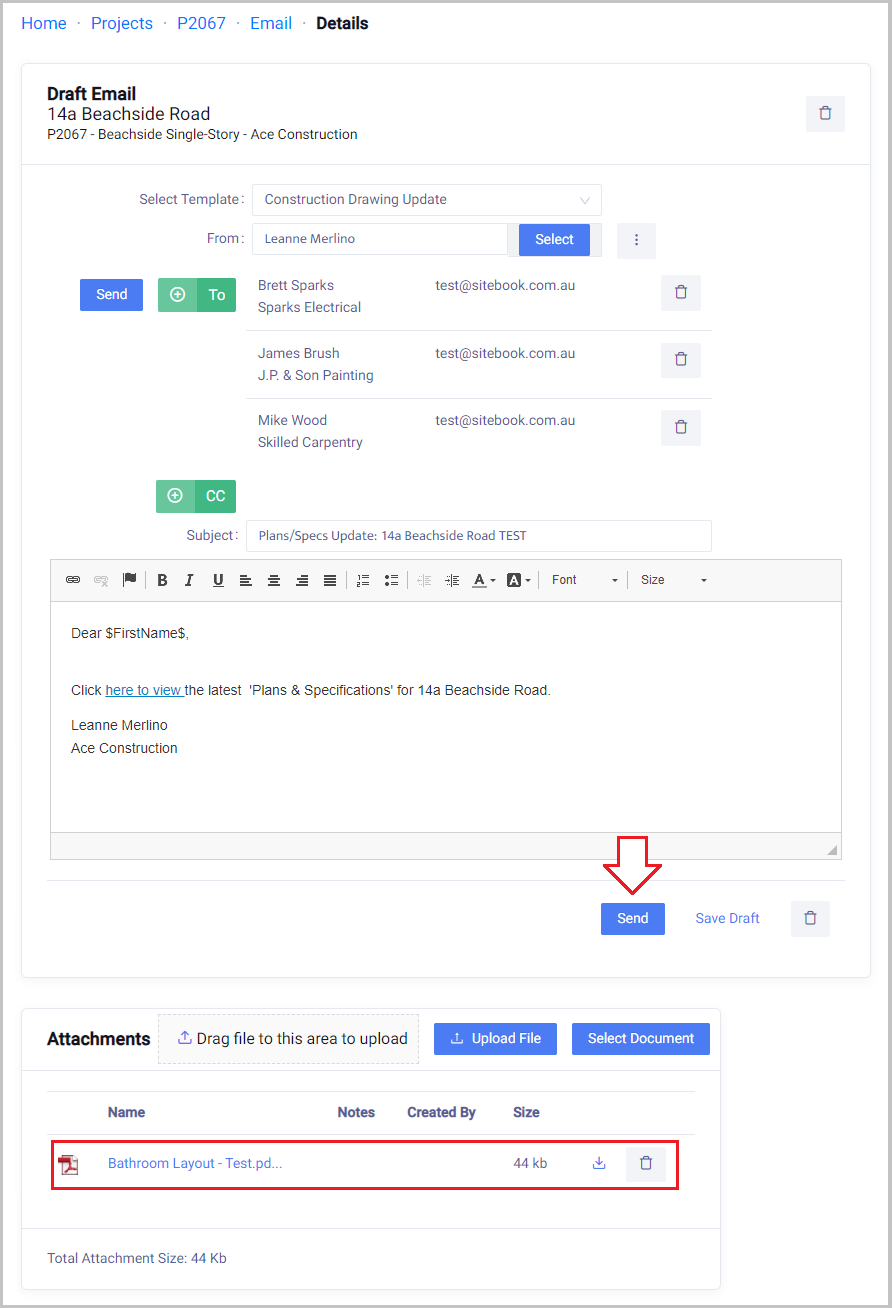
Select Template ''Construction Drawing Update'' from the drop down
Note:
If your file is not already added into the Documents folders you can upload a new file by clicking Upload File.

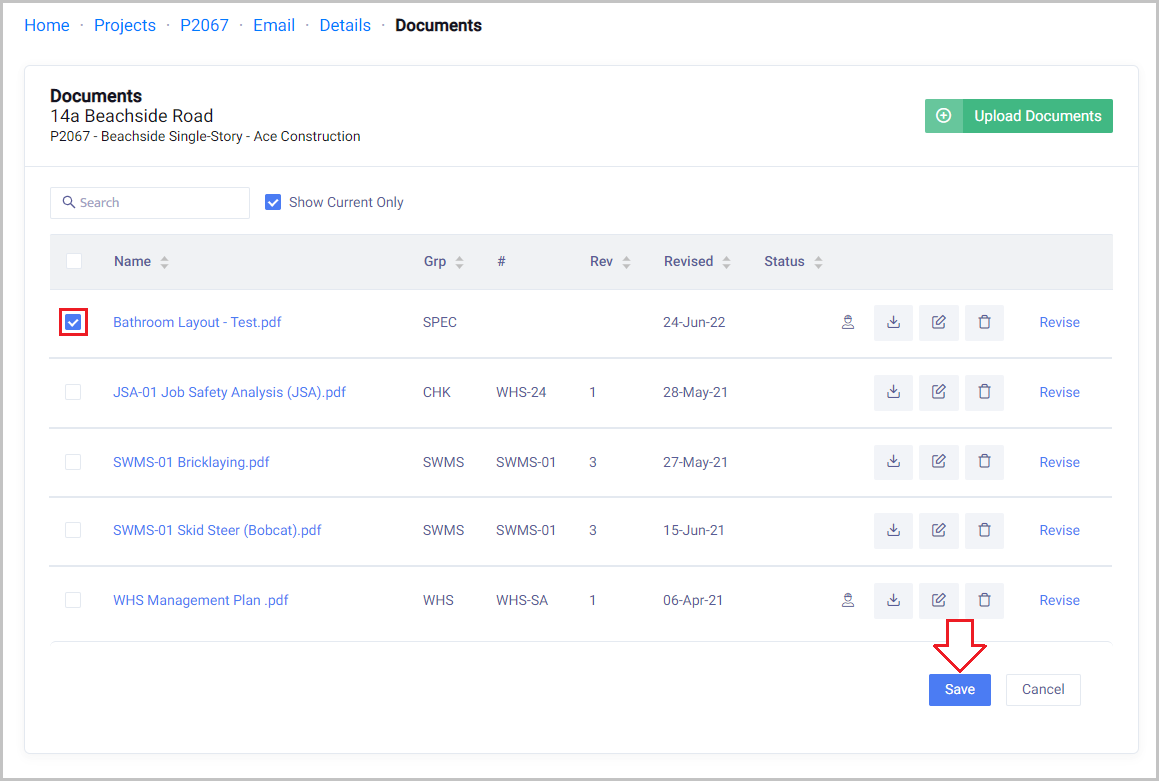
Tick the box next to Document/s that you want to add.
Click Save

You will see your document/s have been added.
Confirm the template and contacts are correct then Click Send

Note:
The Documents will be added as email Attachments
If the document’s total file size is over 5 Mb there will be “click here” links instead
Did this answer your question?😞😐😃