
Table of contents
Export site attendance records as a spreadsheet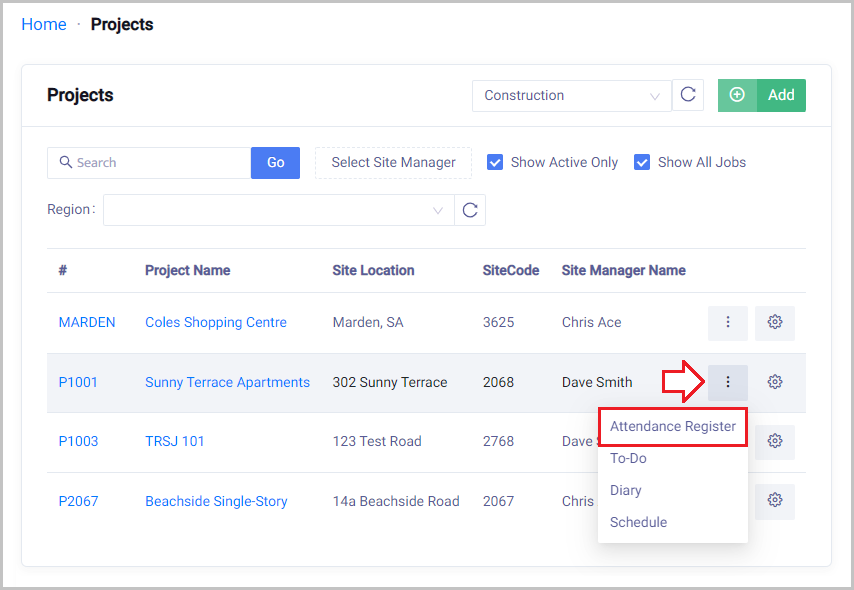
 Did this answer your question?😞😐😃
Export site attendance records as a spreadsheet
How to extract attendance data from SiteBook
Updated over a year ago Table of contentsTo export a worksite Attendance Register as a spreadsheet:
Home → Projects → Hover mouse over 3 dot menu at the end of the Project → Click Attendance Register

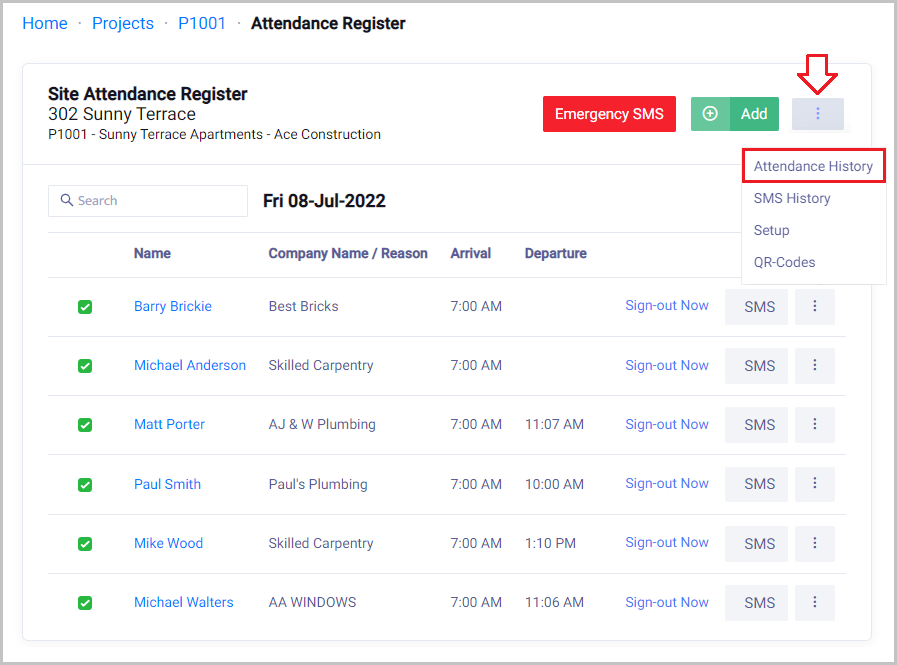
Within the Projects Attendance Register → Hover mouse over 3 dot menu at the top → Click Attendance History

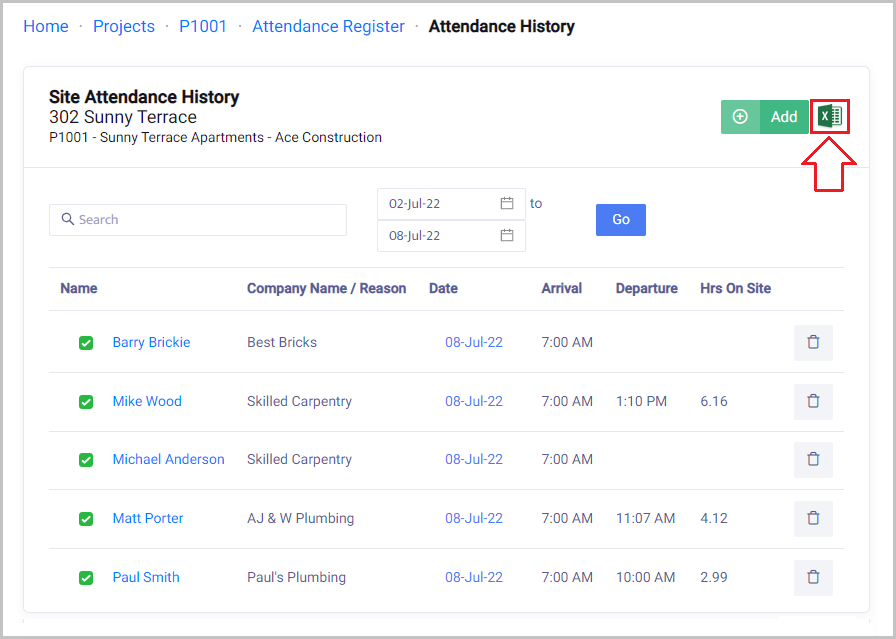
Click on the Excel Image at the top 

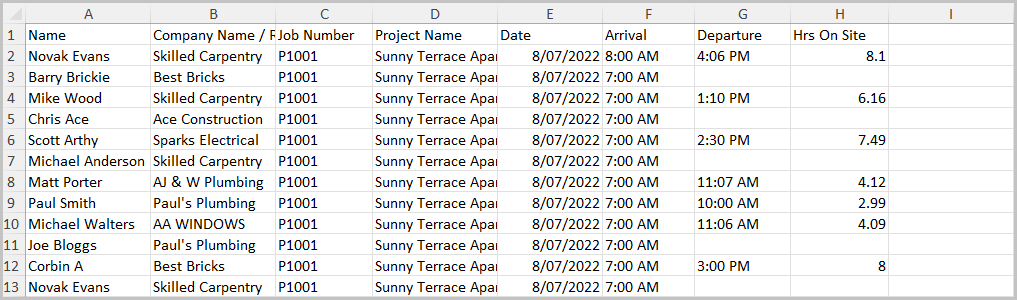
Once Downloaded open the file
 Did this answer your question?😞😐😃