
Table of contents
How To Close An Order on Sitebook
How To Close An Order on Sitebook
Updated over 3 months ago Table of contentsNavigating to the Orders Menu
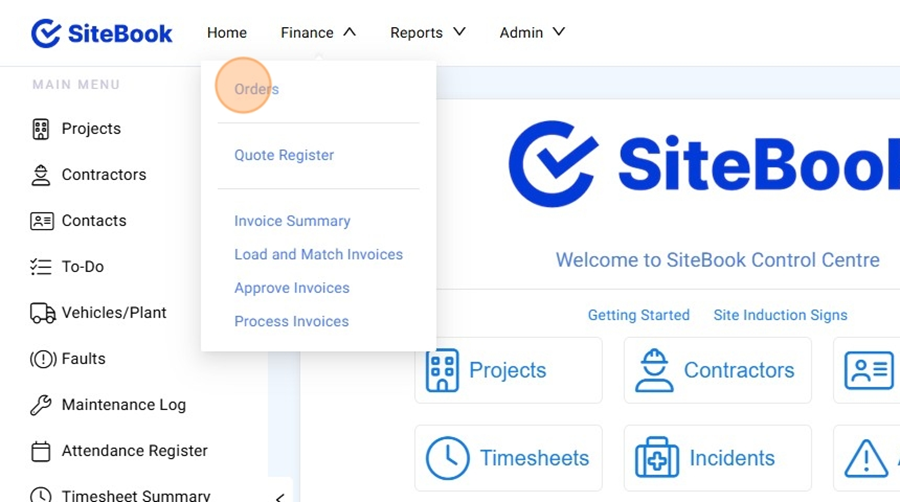
1. On the Homepage select the "Finance" menu
2. Select "Orders" from the Drop down list

Closing a Ordered
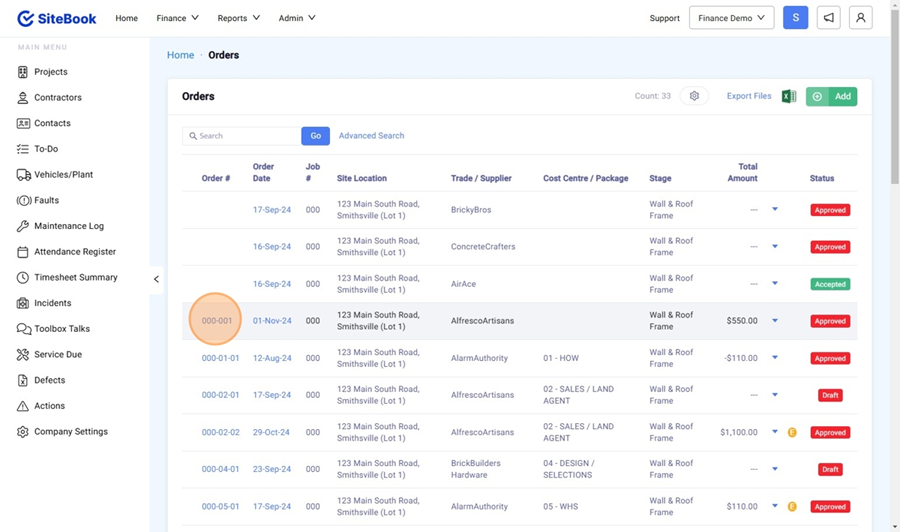
3. Select your Order from the Order List:

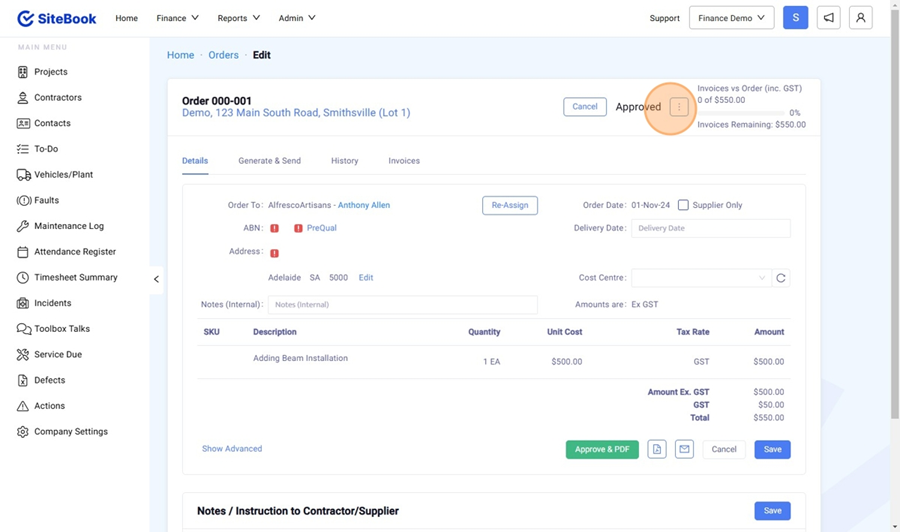
4. Select the "3 Dots" Menu in the top right corner.

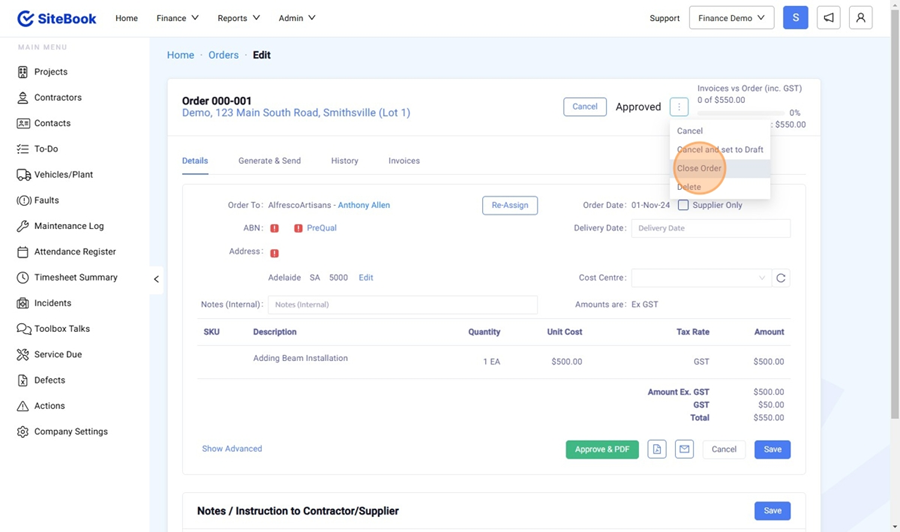
5. Select "Close Order" from the drop down list.

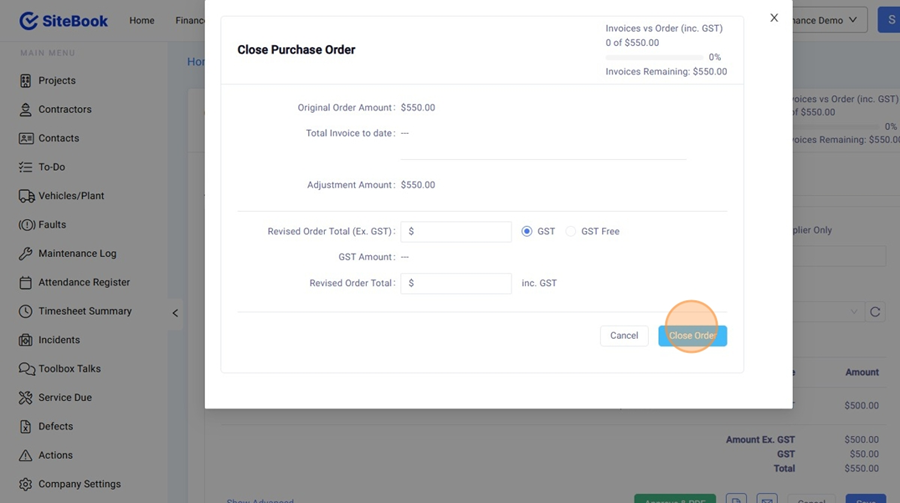
6. Revise the Order Total and then click "Close Order"

7. The Close Amount will be listed in RED on the Order Page.
Did this answer your question?😞😐😃