
Table of contents
How to create a shortcut on an (iPhone & iPad) to the SiteBook WebApp.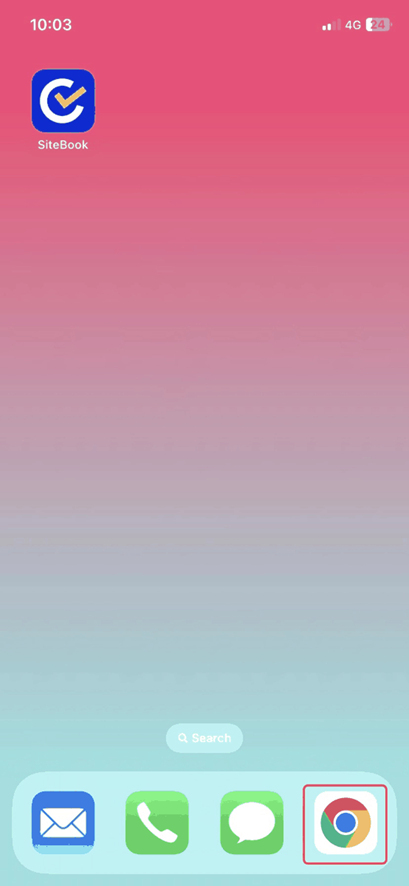
 Did this answer your question?😞😐😃
How to create a shortcut on an (iPhone & iPad) to the SiteBook WebApp.
Updated over 3 months ago Table of contentsNavigating to the WebApp on an iOS Device
1. Open your Web Browser on your Apple device

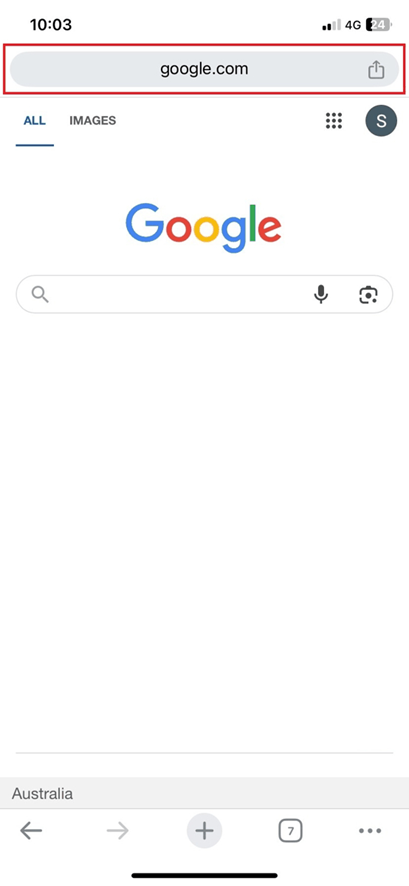
2. Select the URL

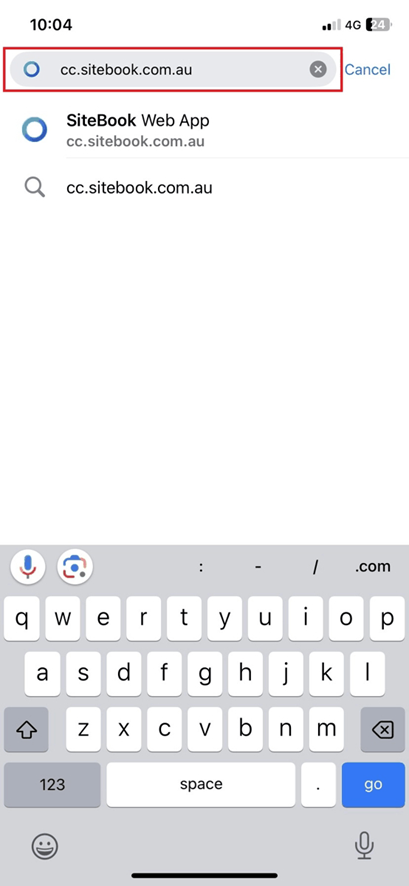
3. Type "cc.sitebook.com.au" in the URL and then select go.

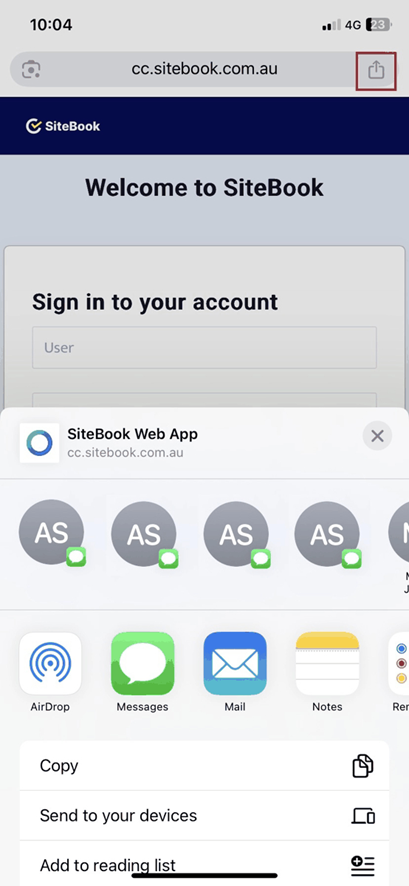
4. Open the Browser Settings in the top right hand corner.

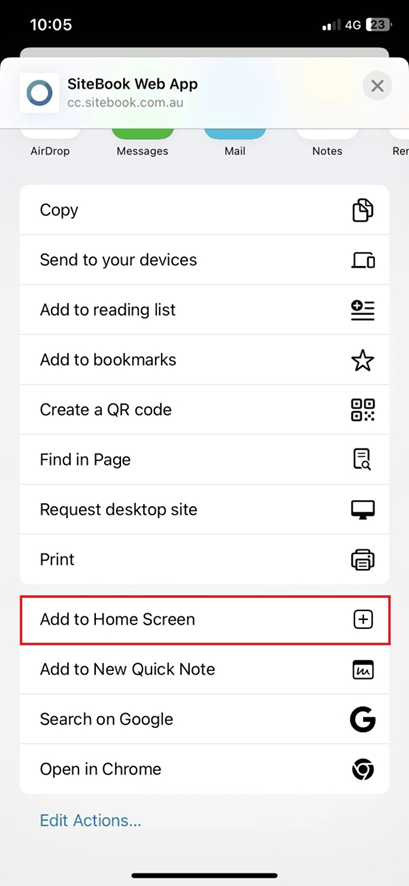
5. Scroll down and find "Add to Home Screen"

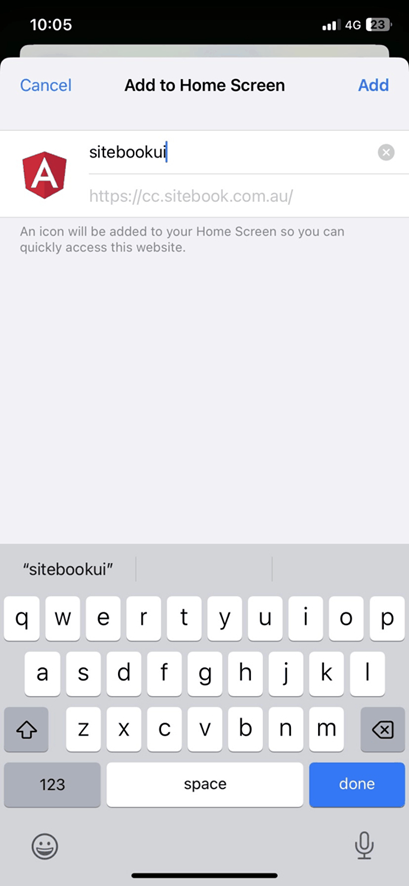
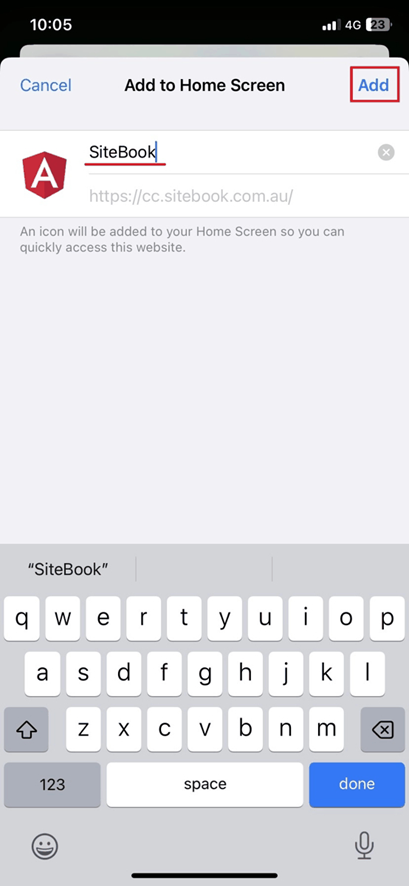
6. Edit the Icon Name in the field provided

7. Select "Add" to complete.

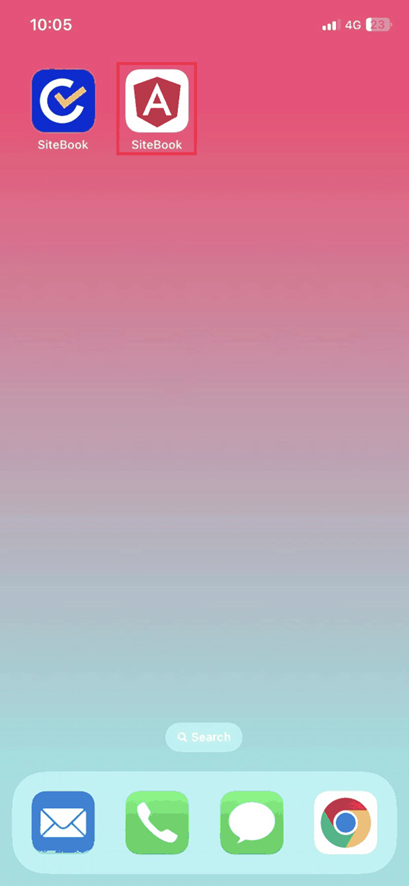
8. The SiteBook Webapp will now be available from your home screen.
 Did this answer your question?😞😐😃