
Table of contents
How to Create an ETS / Variation Order in SiteBook (MobileApp)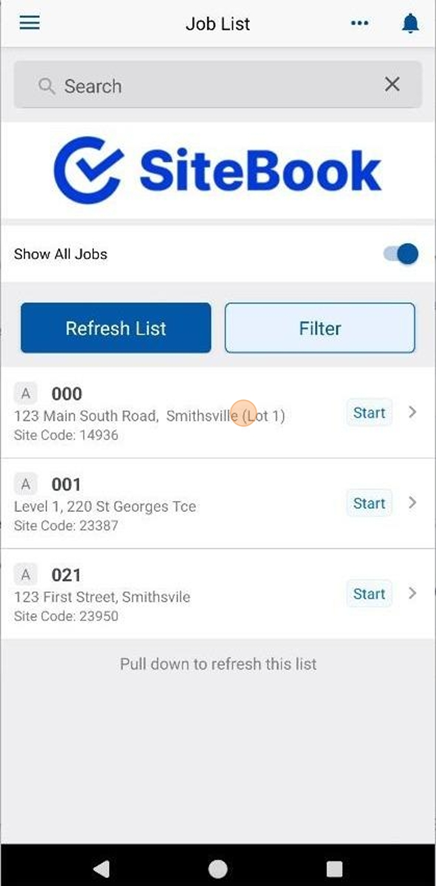
 Did this answer your question?😞😐😃
How to Create an ETS / Variation Order in SiteBook (MobileApp)
Updated over 3 months ago Table of contentsHow to access the Orders page.
1. Select a Job from the "Job List".

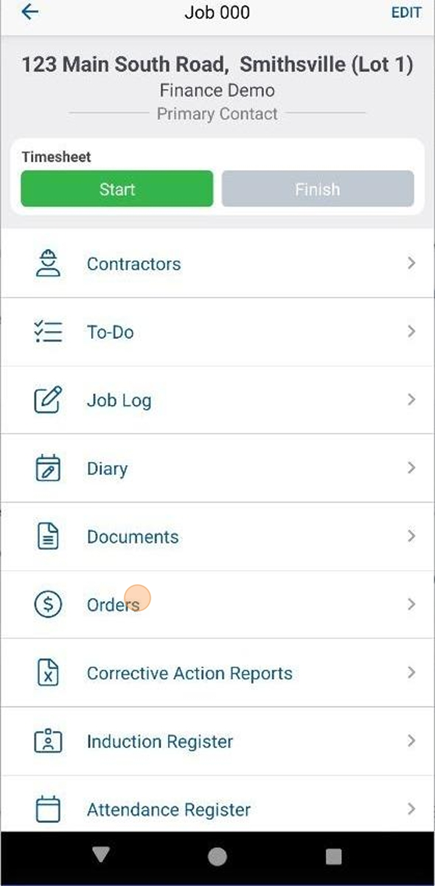
2. Select "Orders" from the menu items.

How to create a new Order
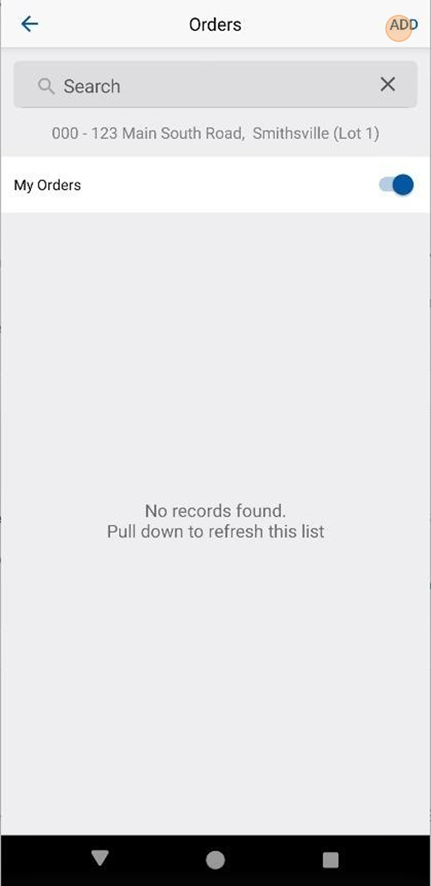
3. In the top right hand corner, click "Add"

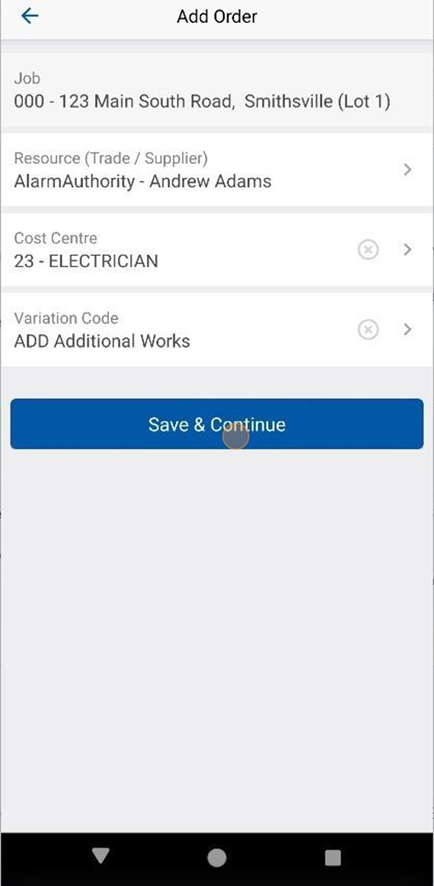
4. Add the Resource Trade / Supplier, Cost Centre and Variation Code and click "Save & Continue"

All Orders created in the Mobile App are ETS (Variation) Orders.
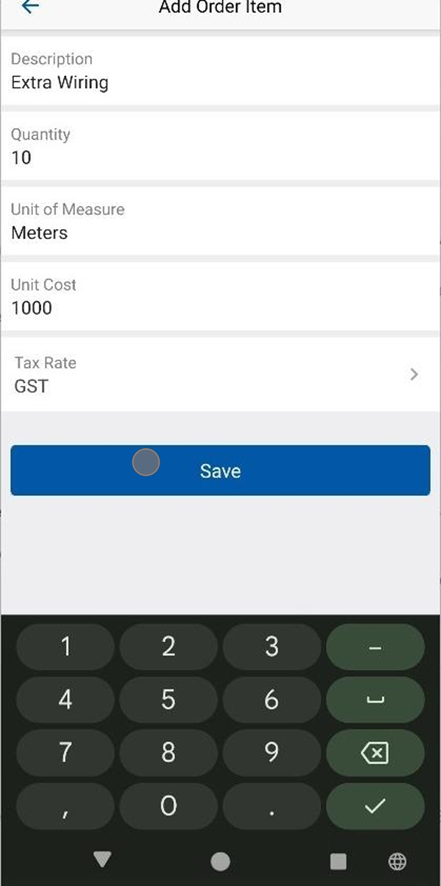
5. Add your first line item details in and click "Save"

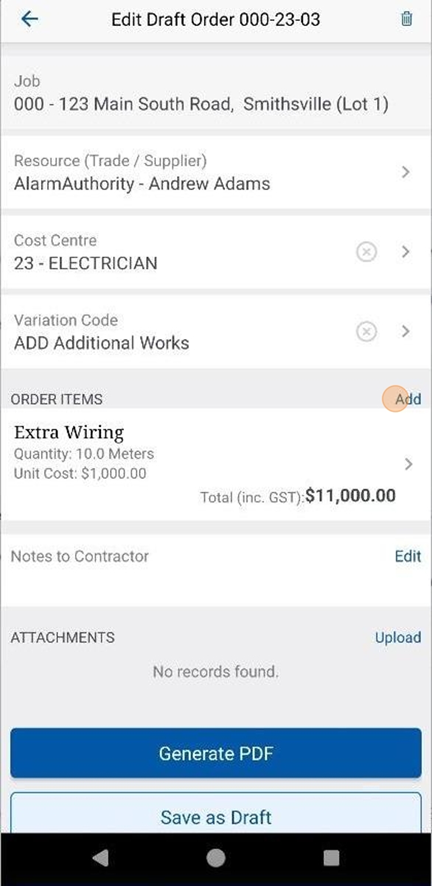
6. Click "Add" to create additional Line Items.

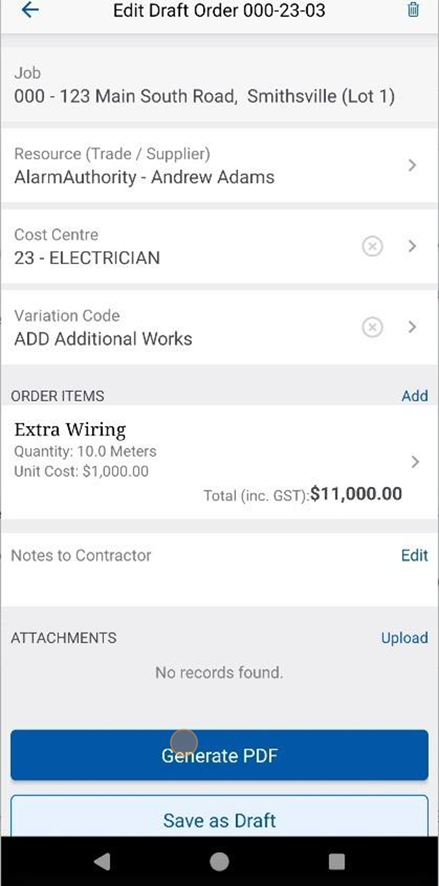
7. Click "Generate PDF" to create the Order.

View & Email the Order
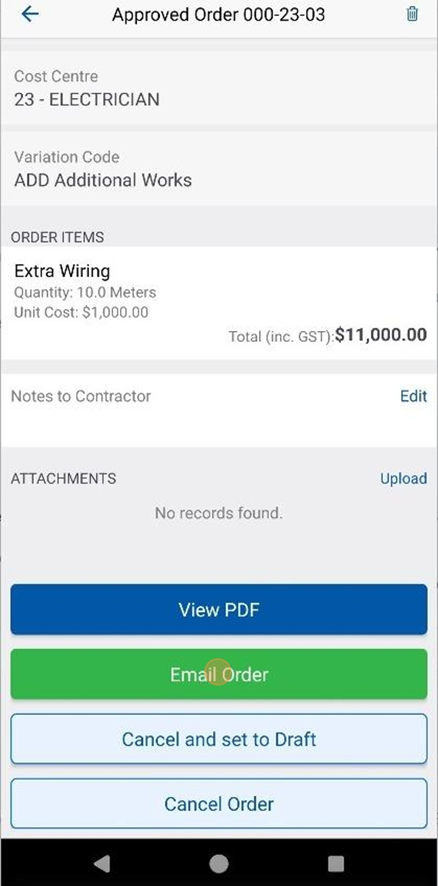
8. You can View or Email the order from the menu items at the bottom of the Order Screen.
 Did this answer your question?😞😐😃