
Table of contents
How To Turn Permits on for a Project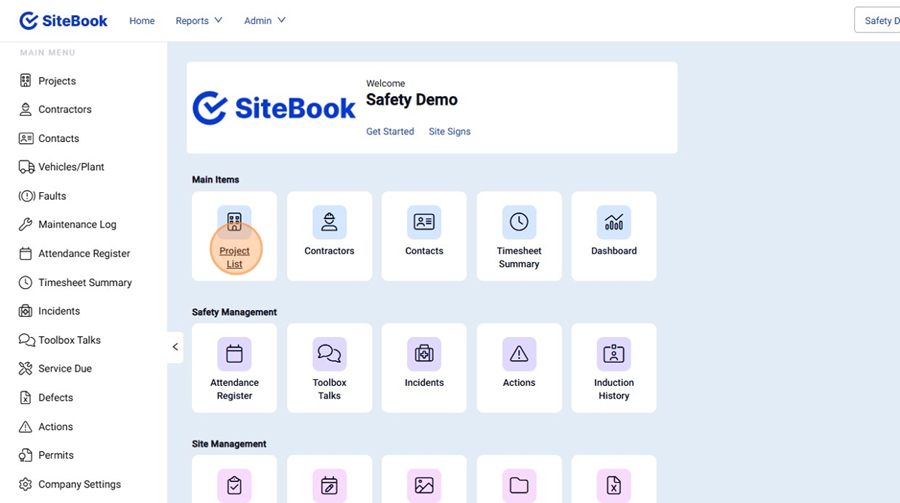
How To Turn Permits on for a Project
Updated over a month ago Table of contentsNavigating to the Project Permit Setup
1. From the Homepage, select the "Project List"

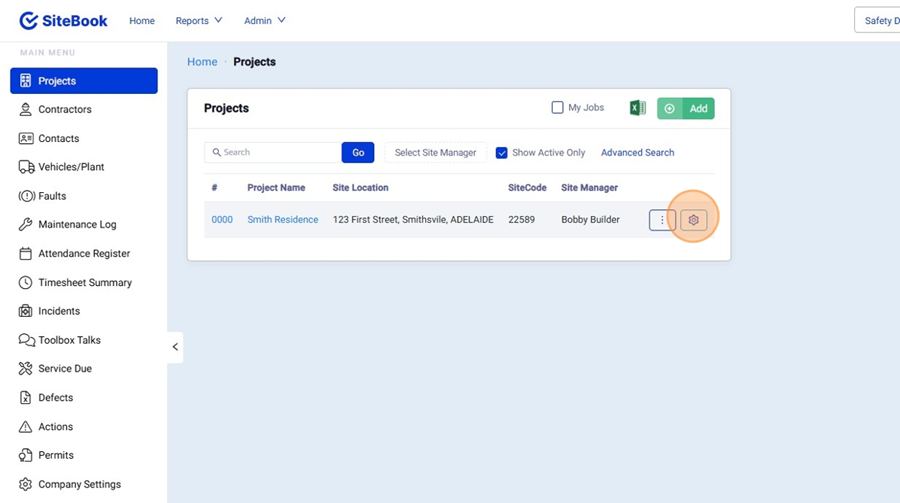
2. Find your Project in the list and select the "Gear icon" to open the "Project Setup" Menu.

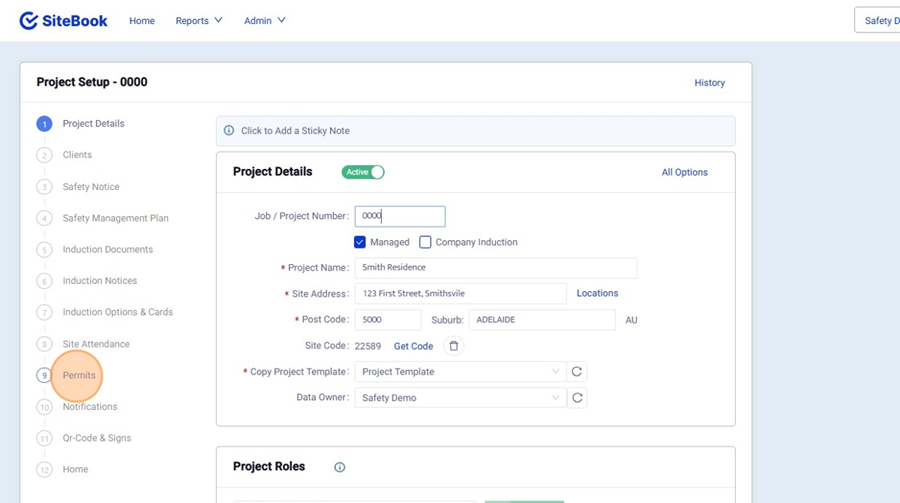
3. In the Project Setup Menu select "Permits" from the left hand side.

Turn On Permits
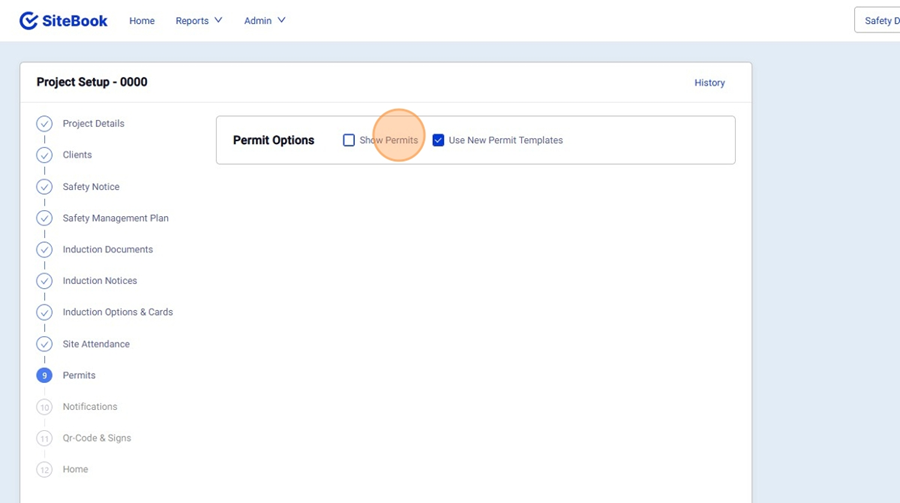
4. Click "Show Permits" to Activate permits and "Use New Permit Templates" is ticked to use custom Permit Templates.

Select / Edit Permit Notification Options.
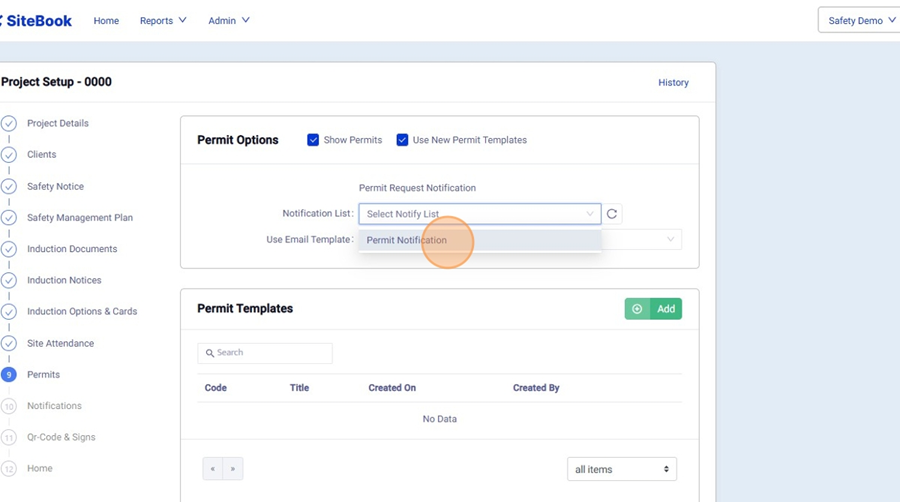
5. Under Notification List, choose a group to notify when permits need approval.

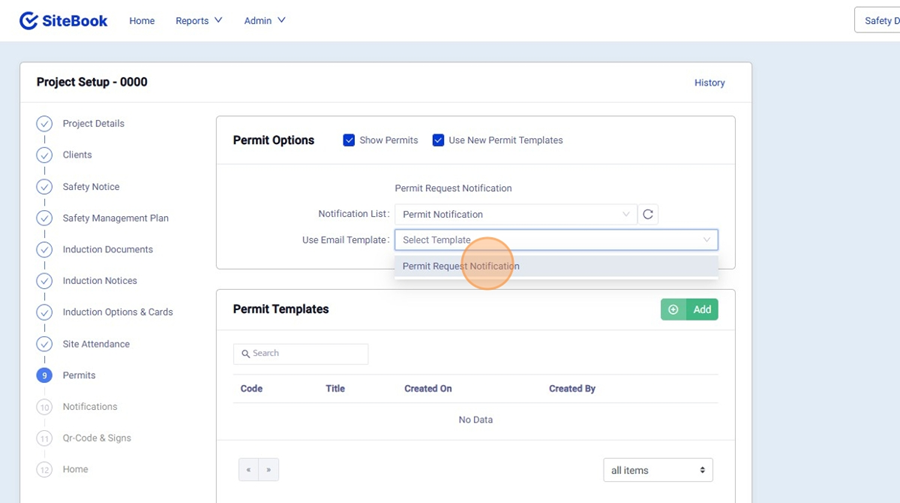
6. Under "Use Email Template" choose the Email Template that is sent out when a Permit requires Approval.

Add Permit Templates to a Project
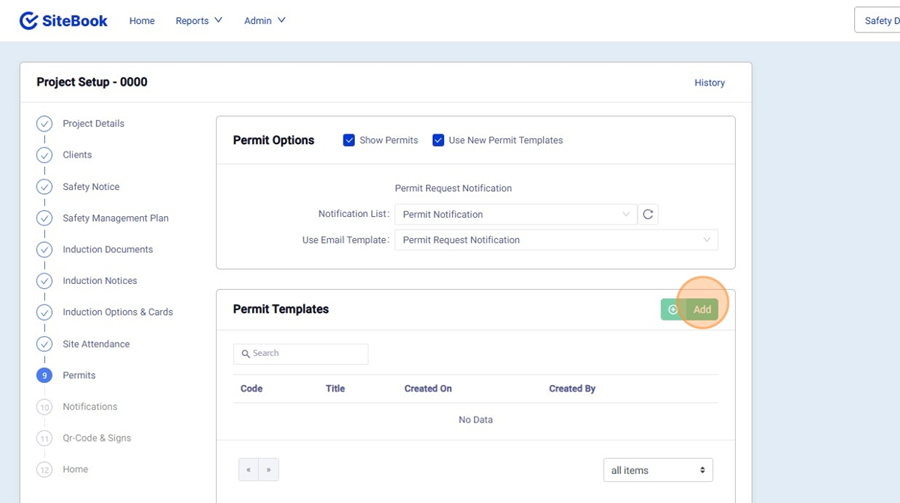
7. Under Permit Templates, select the "Add" Button.

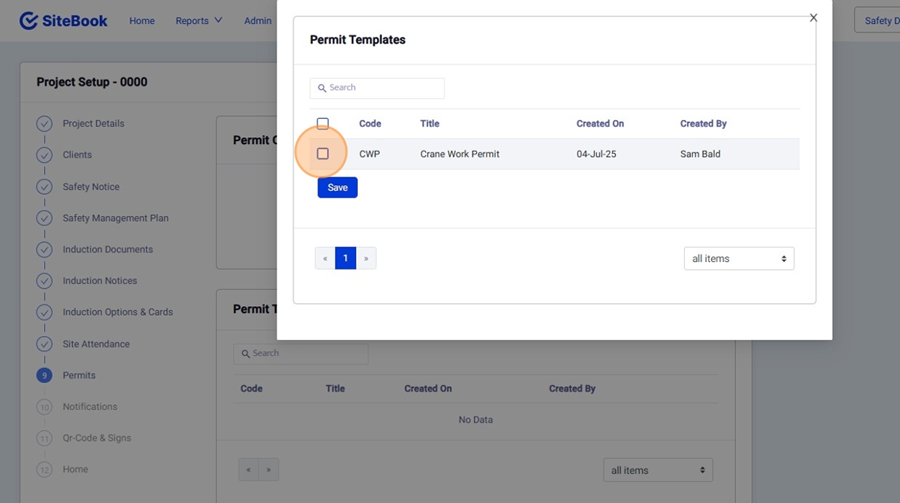
8. Select your Permit Templates and then click "Save"

9. Click "Next" to save this Projects Settings.
Did this answer your question?😞😐😃