
Table of contents
Notifications: Document Revisions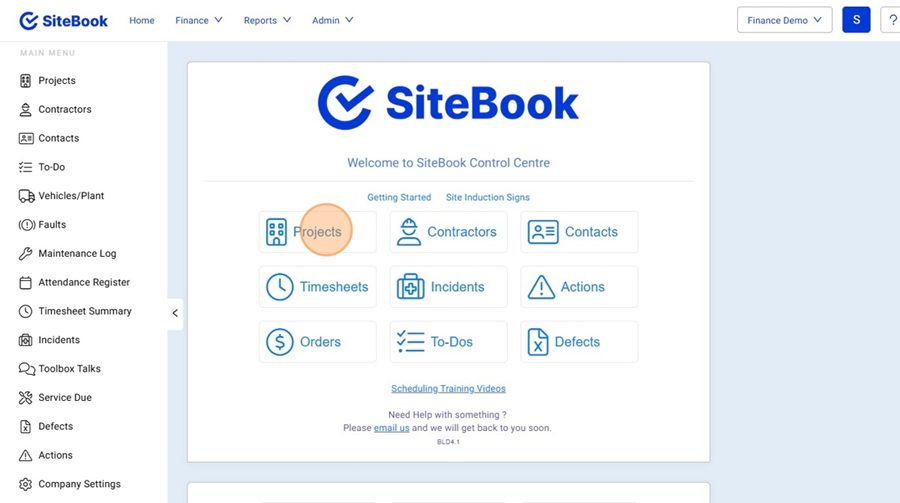
Notifications: Document Revisions
Updated over 3 months ago Table of contentsTurn on Revision Notifications and set Default Notification Group
1. From the homepage open the Projects list.

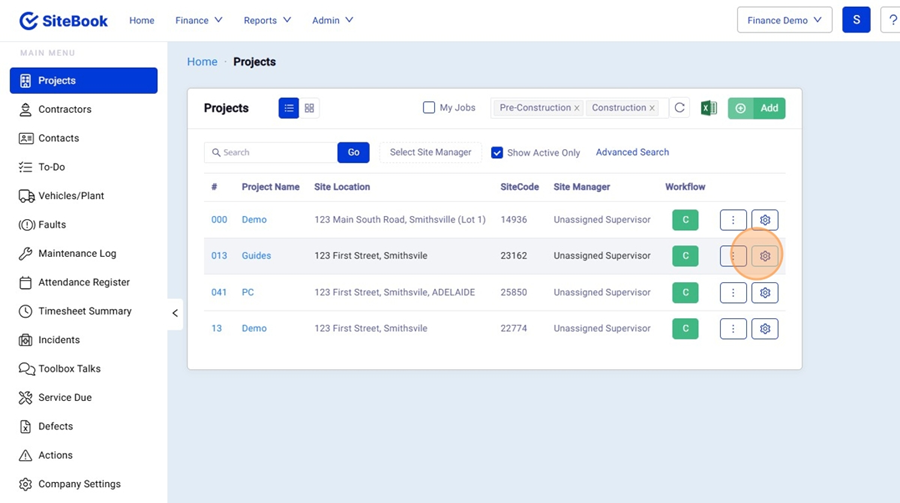
2. Find your Project and open the Project Setup Menu

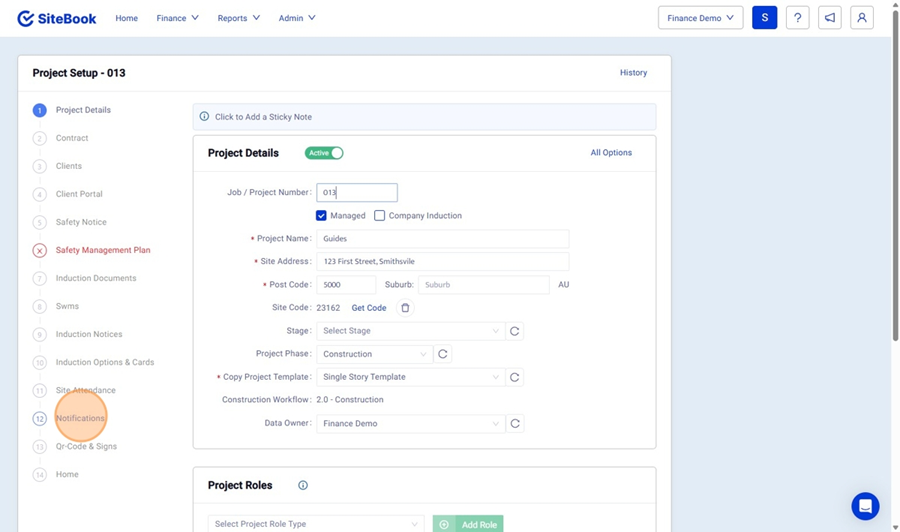
3. Find the Notifications tab on the left hand side menu

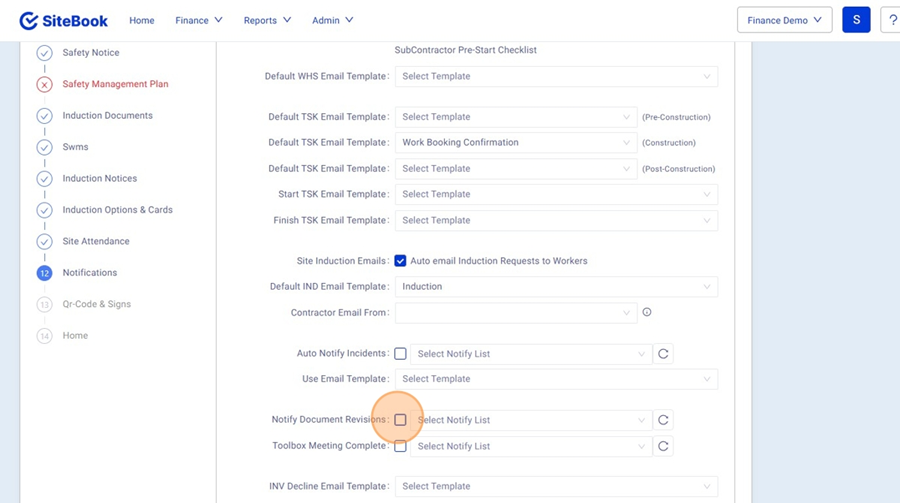
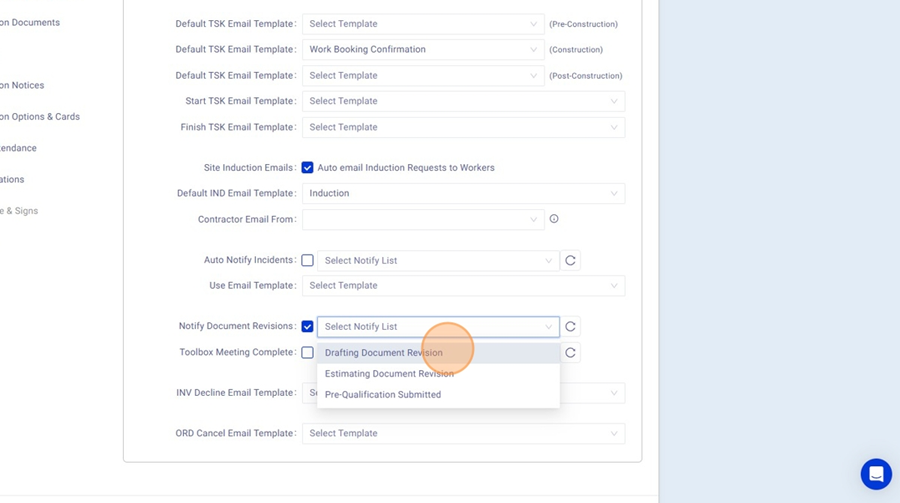
4. Tick "Notify Document Revisions" to turn on Notifications when revising a Document.

5. Under "Select Notify List" Select a Notification Group to be set as the "Default" Notification Group.

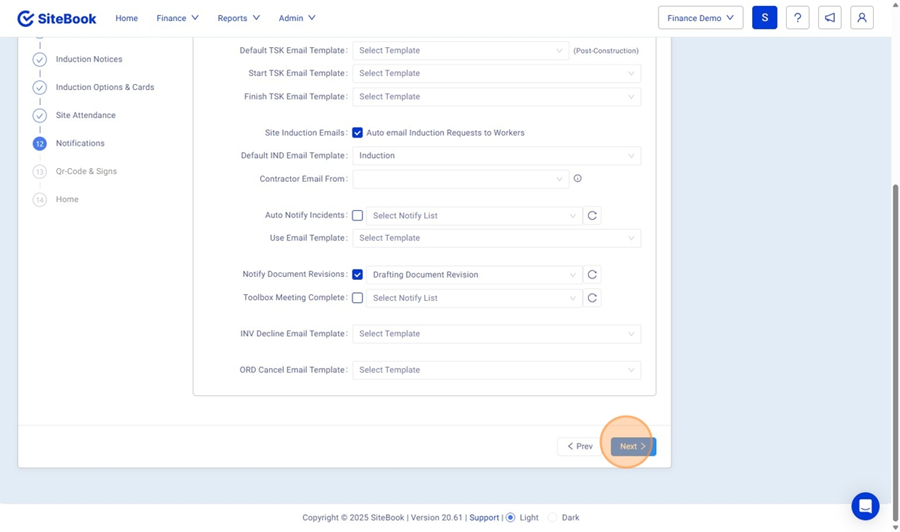
6. Click "Next" to save these changes.

Sending a Notification when Revising a Document
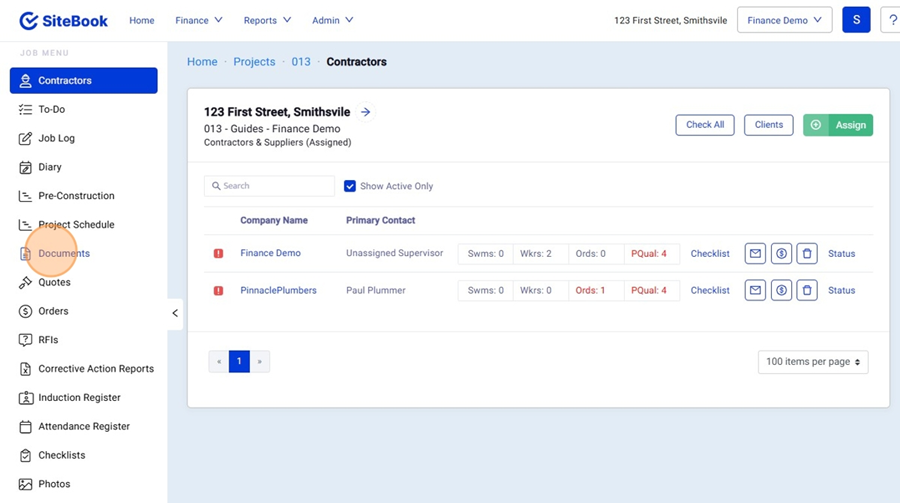
7. When inside your Project, select "Documents" from the left hand menu.

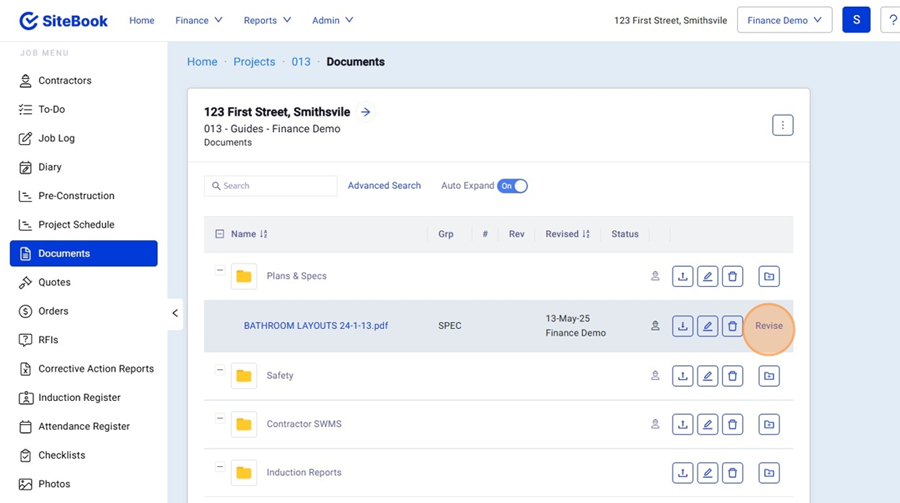
8. Find your Document and click "Revise"

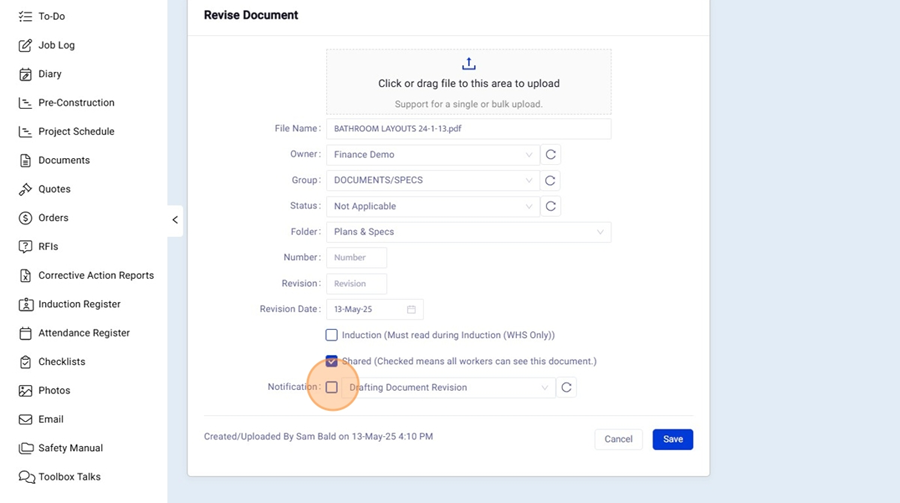
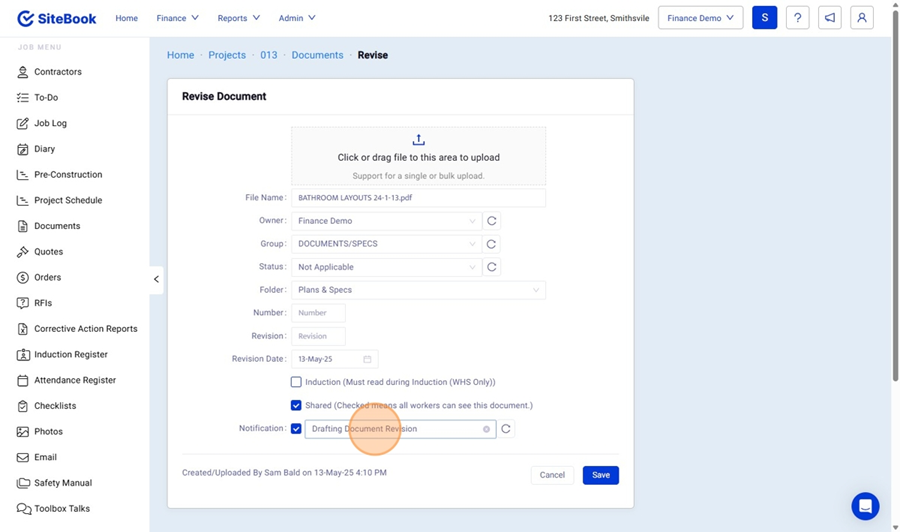
9. Under "Notifications" tick to allow notification on revision.

10. Select the Notification group you want to notify of the revision.

11. Click "Save" to save your revision and notify the selected group.
Did this answer your question?😞😐😃