
Table of contents
Notifications: How to Create Notification Groups
 Did this answer your question?😞😐😃
Notifications: How to Create Notification Groups
Updated over 3 months ago Table of contentsNavigating to the Notifications Menu
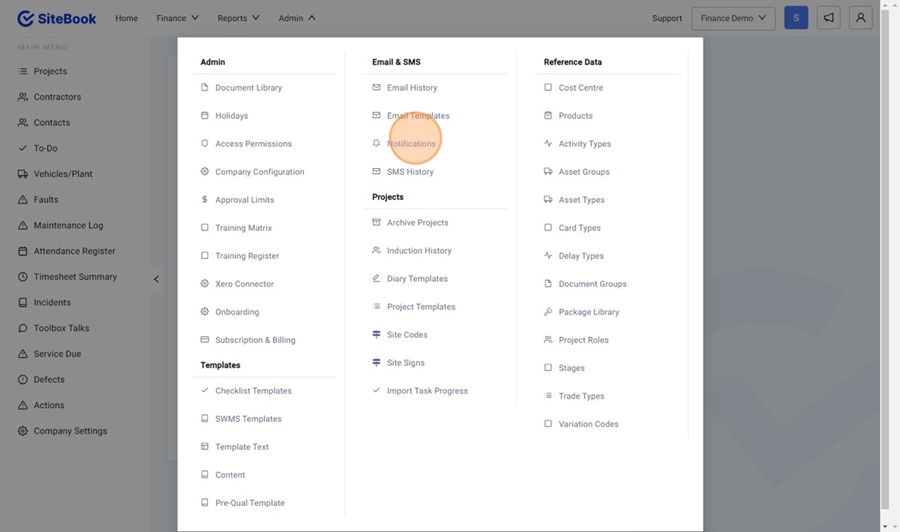
1. From the homepage, select the "Admin" Menu
2. From the Admin Menu, select "Notifications"

Creating a New Notification Group
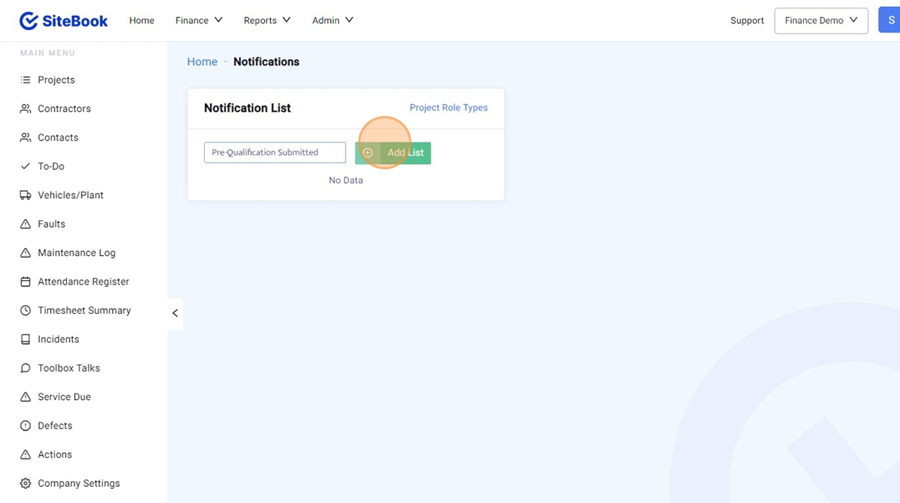
3. In the Notifications Menu, click on the "Add a new List" field, then click "Add List"

Adding People / User Groups to a Notification Group
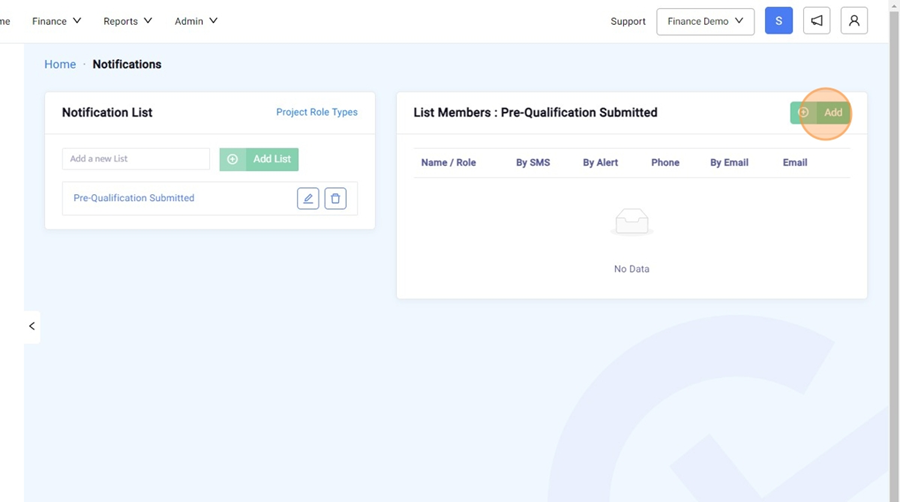
4. Inside your Notification Group, under "List Members" select "Add".

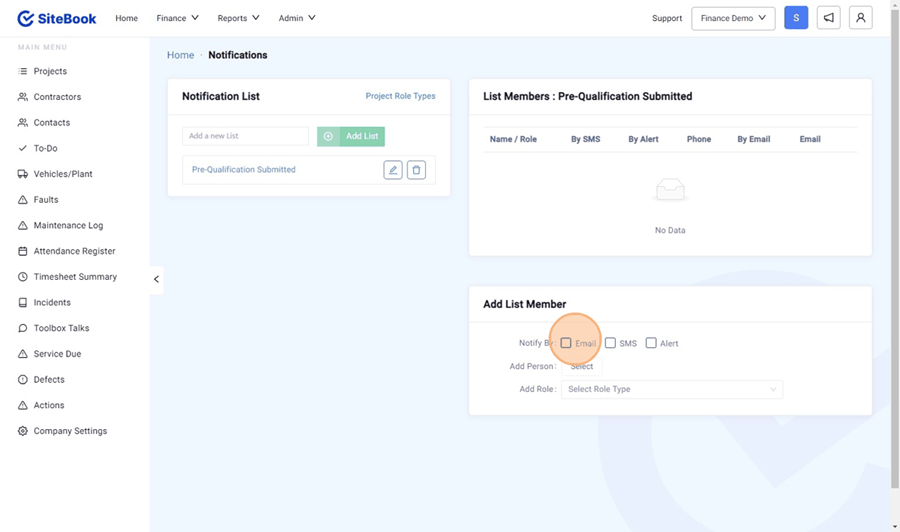
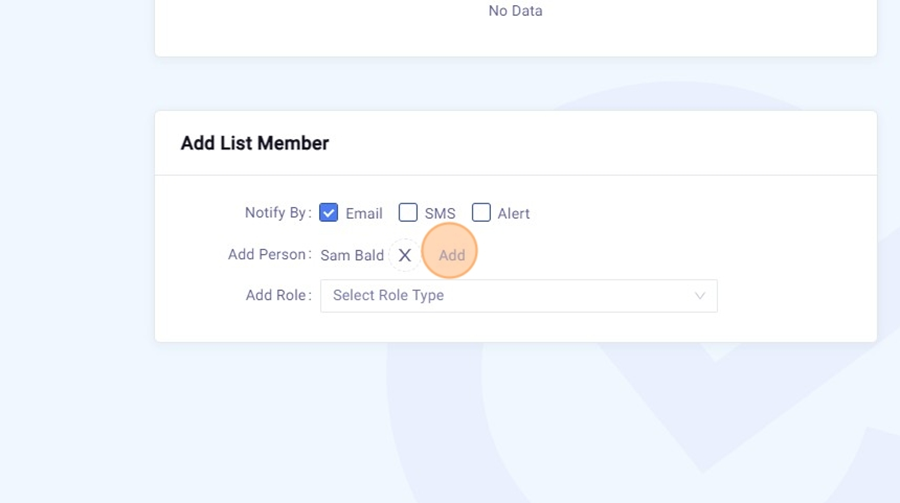
5. Under "Add List Member" Select the notification methods for this person:
· By Email
· By SMS
· By in App Alert

6. You can either "Add Person" to add a specific user OR "Add Role" to add a Project Specific Role (Such as Site Supervisor). Click add to finish.
 Did this answer your question?😞😐😃