
Table of contents
Package Library: How To Add A New Quotes Package (Template)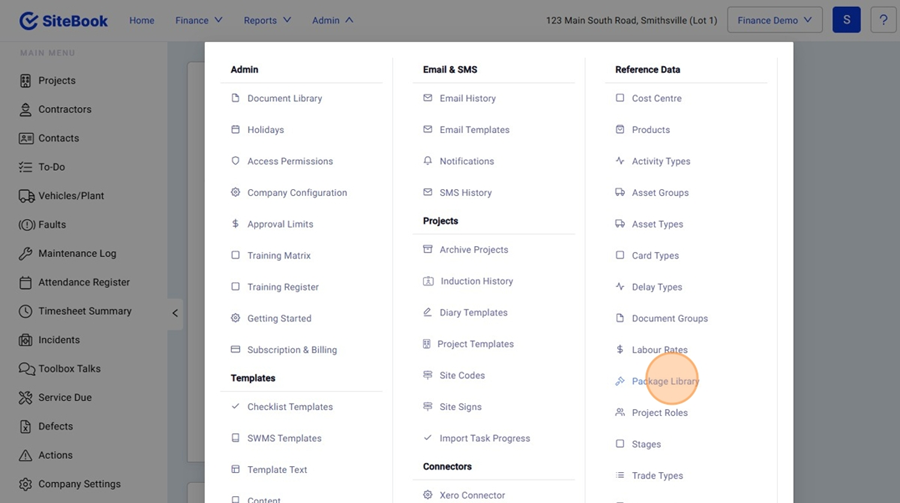
 Did this answer your question?😞😐😃
Package Library: How To Add A New Quotes Package (Template)
Updated over 3 months ago Table of contentsNavigating to the Package Library
1. From the Home Menu, select "Admin" and click "Package Library"

Creating a New Quote Package (Template)
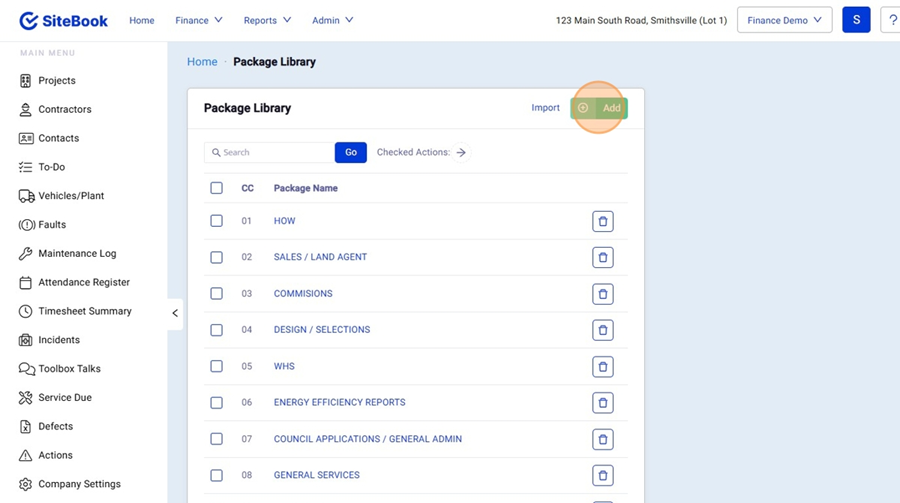
2. Click "Add" to create a new Quotes Package

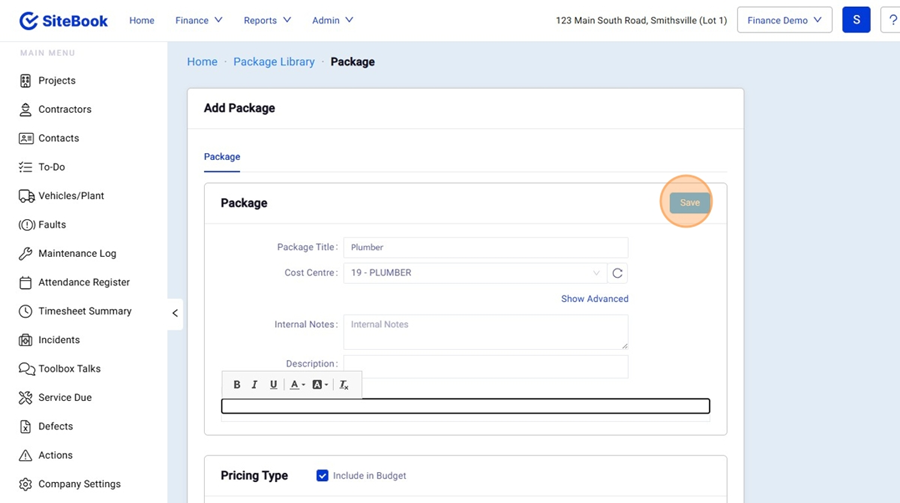
3. Add your Package Details and the click "Save" to Create a new Package.

Editing a Quotes Package (Template)
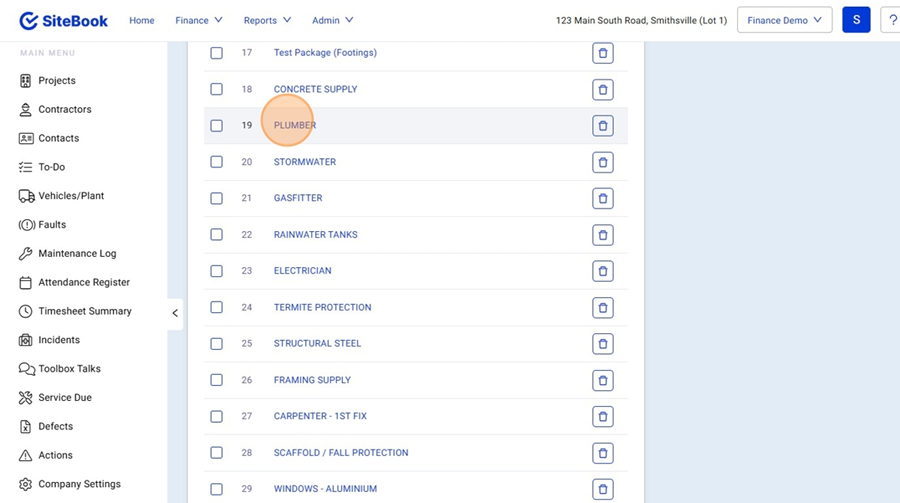
4. In the Package Library, select the Package you want to Edit.

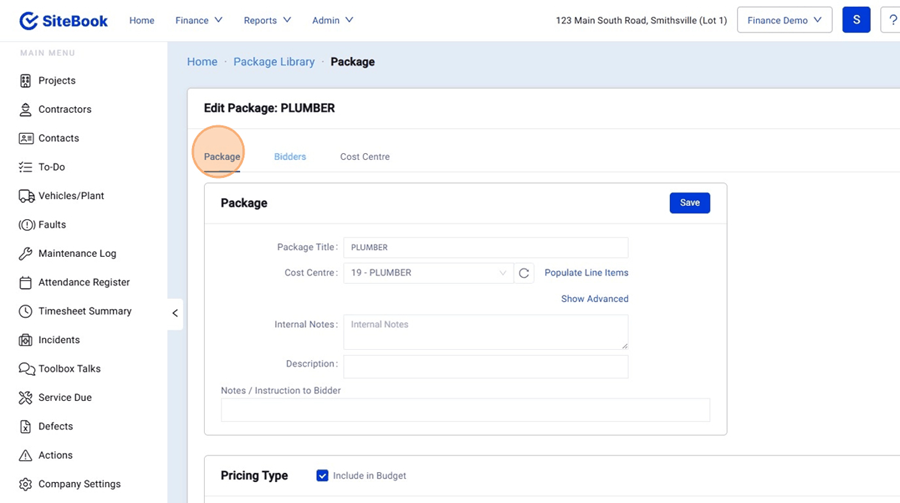
5. In the "Package" Tab you can edit the Details of your package.

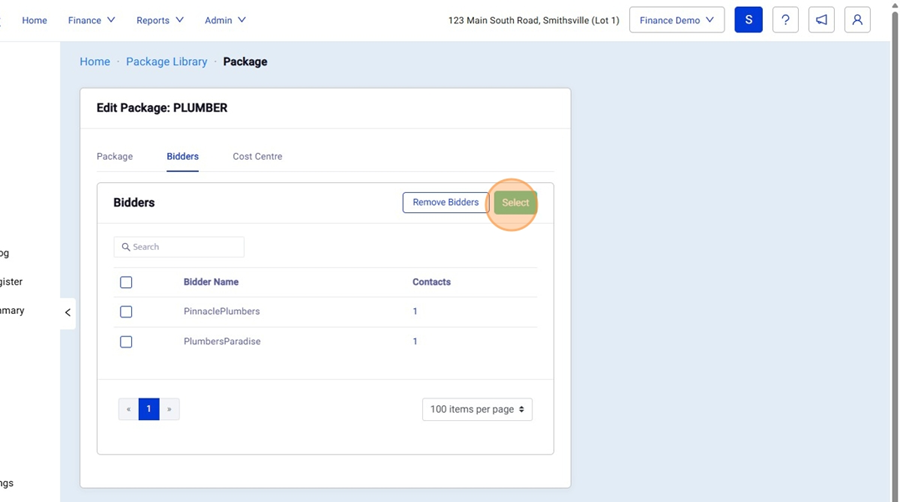
6. In your "Bidders" Tab you can select your Trade / Suppliers who will be Submitting tenders to this Package. (Trade / Supplier Contacts will only be visible when they are set as the "Tender" Contact in their Contractor Profile)

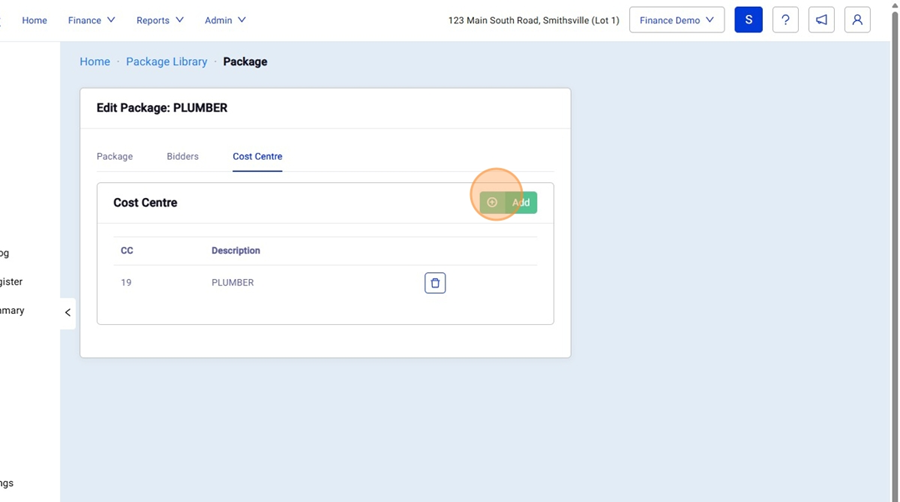
7. In your "Cost Centre" Tab you can select and link up your cost centres. (This allows you to pull your Line Items from the Estimate/BoQ into your packages inside a project)
 Did this answer your question?😞😐😃