
Password Reset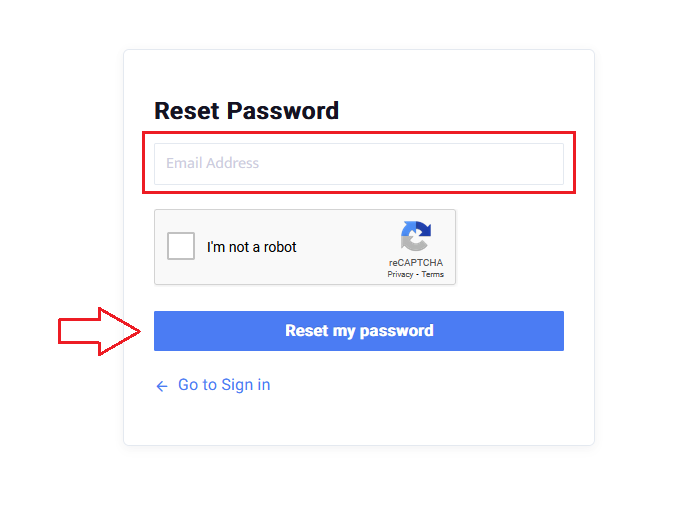
 Did this answer your question?😞😐😃
Password Reset
Updated over 7 months agoClick Here to open the Reset Password screen
Enter the email you use for SiteBook
Complete reCAPTCHA verification
Click Reset my password
Enter the email you use for SiteBook
Complete reCAPTCHA verification
Click Reset my password

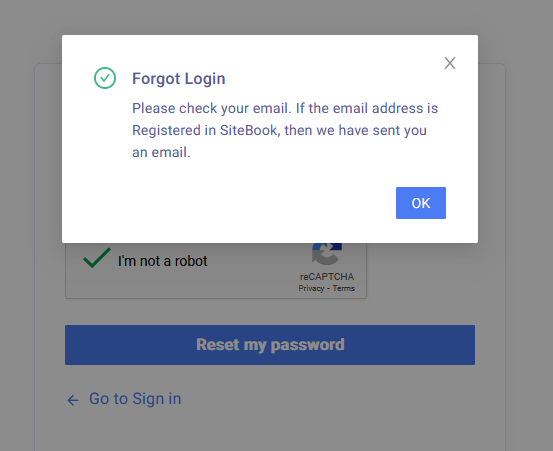
Click 

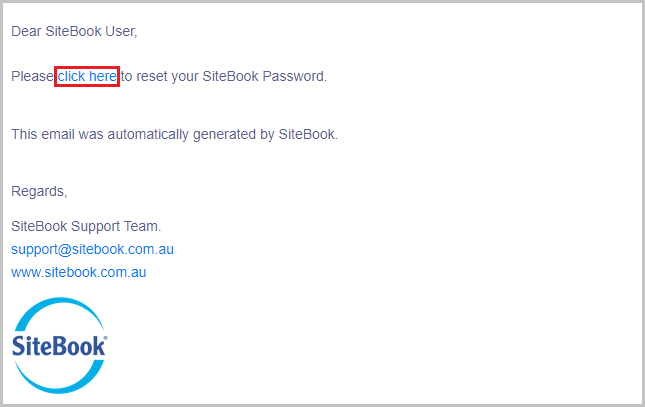
Check your email for this message and click the link inside

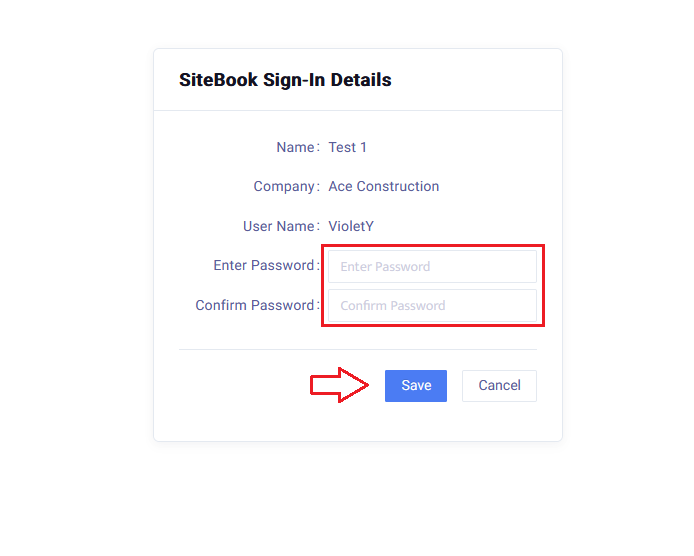
Enter a new Password in the 2 fields then click Save
 Did this answer your question?😞😐😃