
Prepare SWMS
 Did this answer your question?😞😐😃
Prepare SWMS
Updated over a year agoSelect a SWMS template
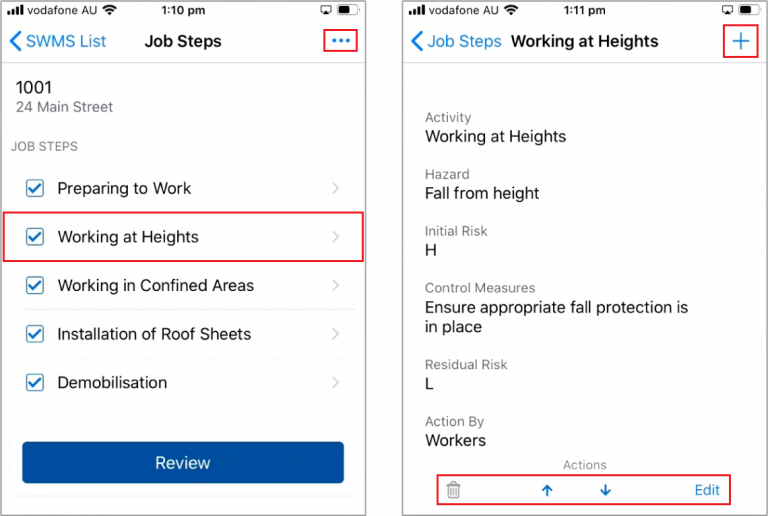
Tick the required Job Steps or click the (. . .) Icon to add a new Job Step
Click on a Job Step to edit it
When editing a Job Step:
+ to add a new activity
Use the Bin Icon to Delete an activity
Up / Down Arrows to change the activity position
Edit to change activity details
+ to add a new activity
Use the Bin Icon to Delete an activity
Up / Down Arrows to change the activity position
Edit to change activity details

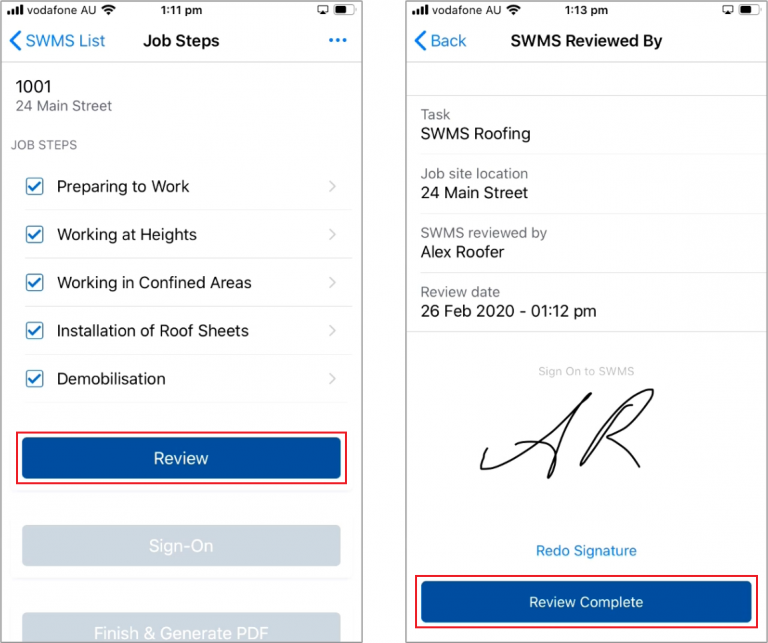
When you're finished editing, press Review and Sign-Off

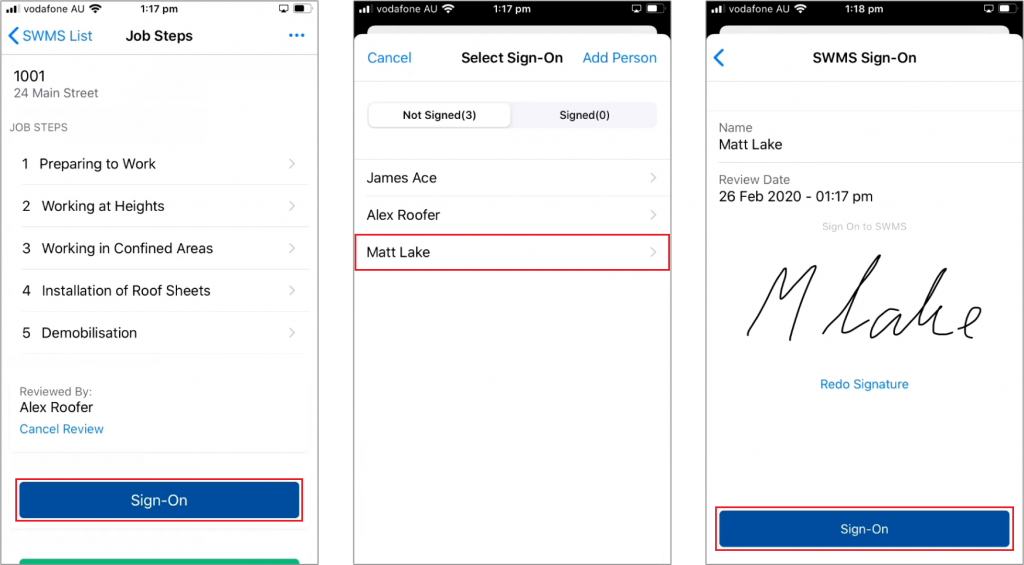
Have your workers Sign-On by selecting them from the list

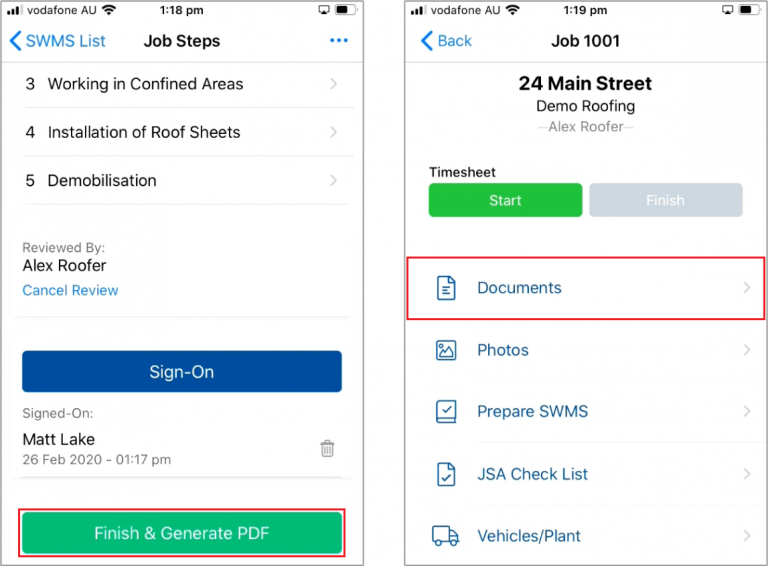
Once everyone has signed on, Finish & Generate PDF
The PDF will be saved under the Job Documents
 Did this answer your question?😞😐😃