
Table of contents
Project Setup: Add Locations On-site (To-Dos, Incidents & Actions)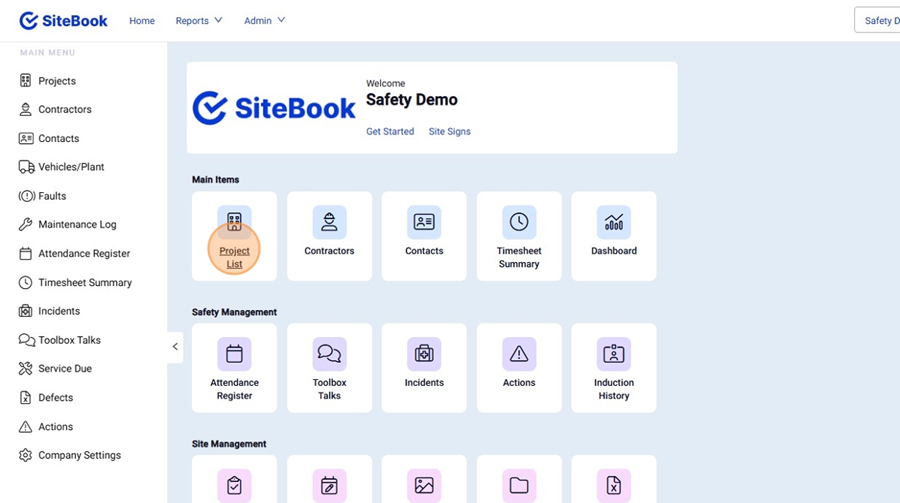
 Did this answer your question?😞😐😃
Project Setup: Add Locations On-site (To-Dos, Incidents & Actions)
Locations can be added in To-Dos (Ad-hoc), Incidents & Actions.
Updated over 2 months ago Table of contentsNavigating to the Locations On-site for a Project.
1. From the homepage, select "Projects"

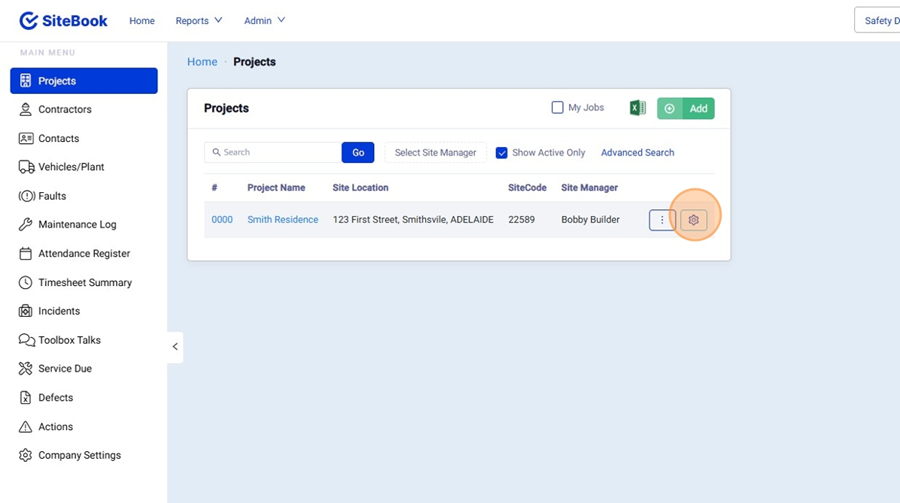
2. Find your Project in the "Project List" and open the project Settings.

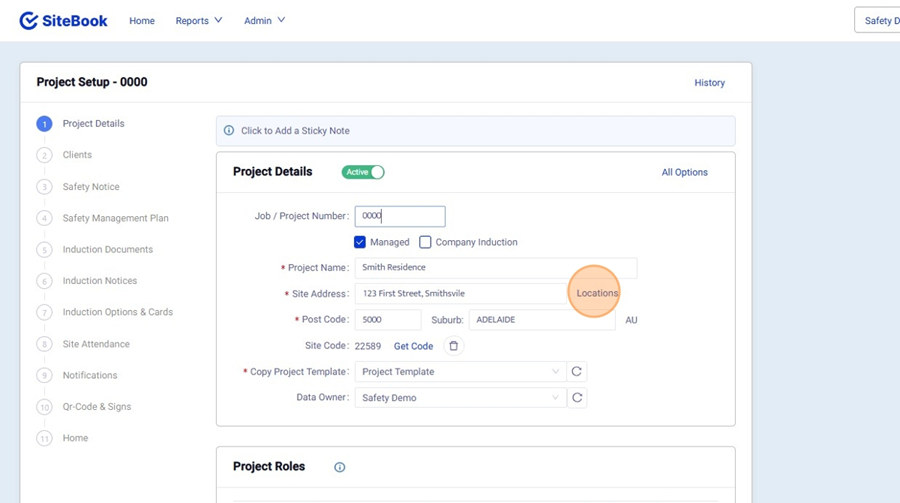
3. Under Projects, Click "Locations"

Adding a Location
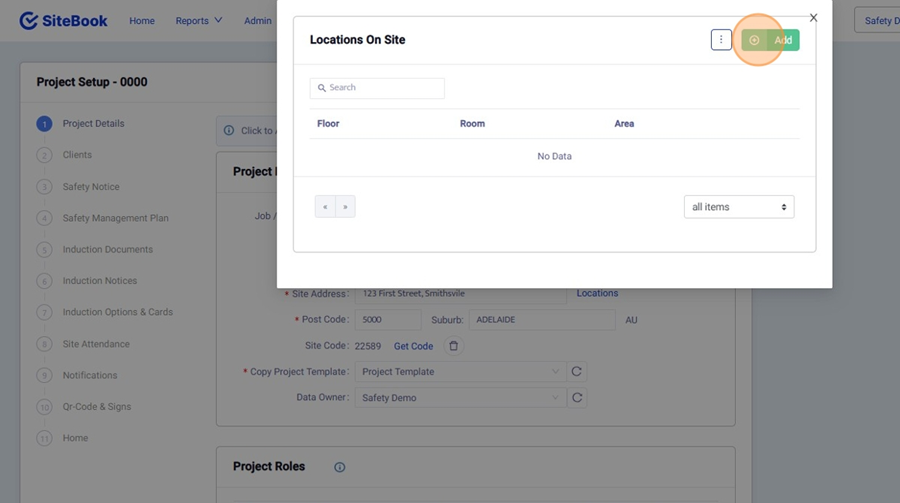
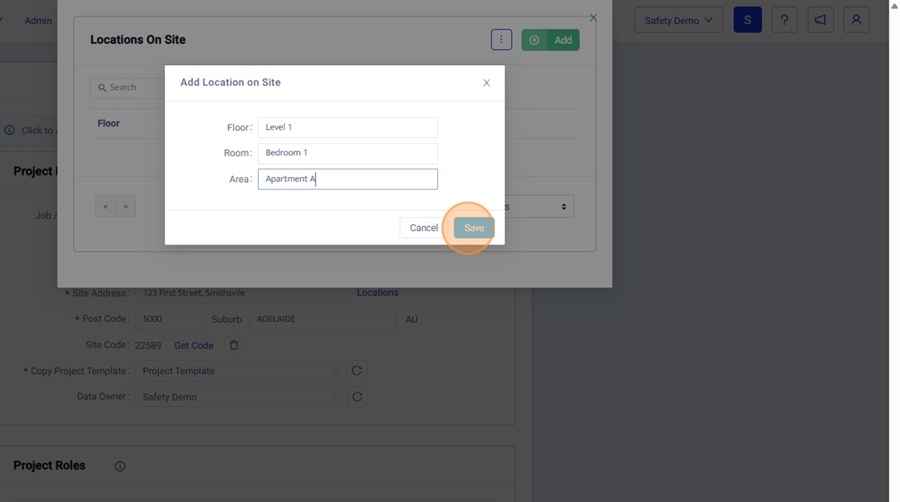
4. In Locations, Click "Add" to create a new location.

5. Fill out the input fields and then click "Save".

Copy Locations from another Project
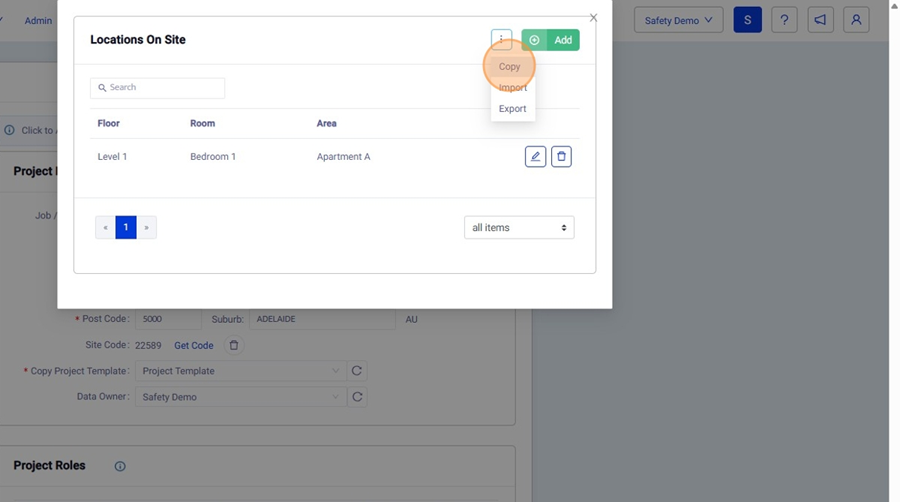
6. In locations, in the "3 Dot" menu, then select "Copy"

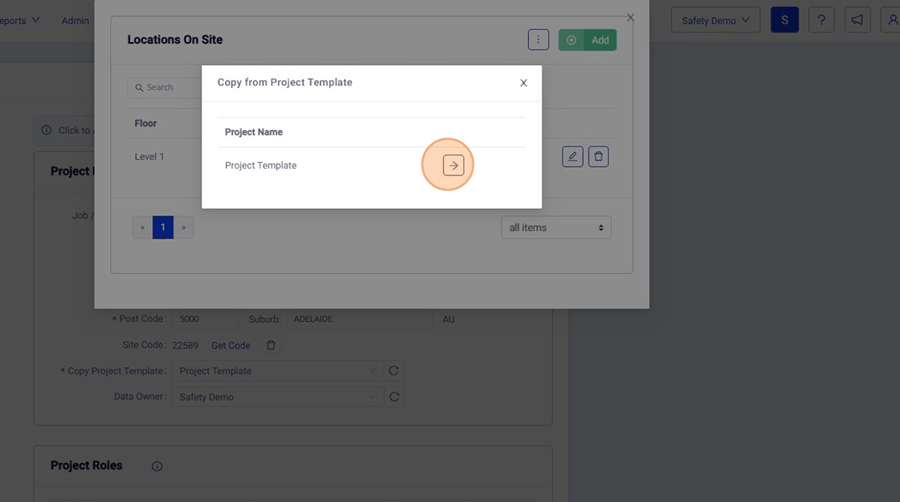
7. Select a Project from the list to copy from.

Importing a Location list from Excel
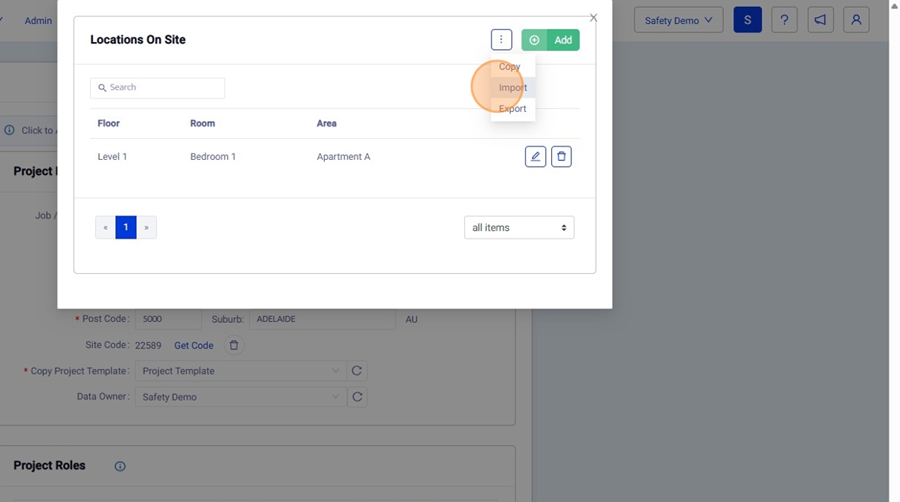
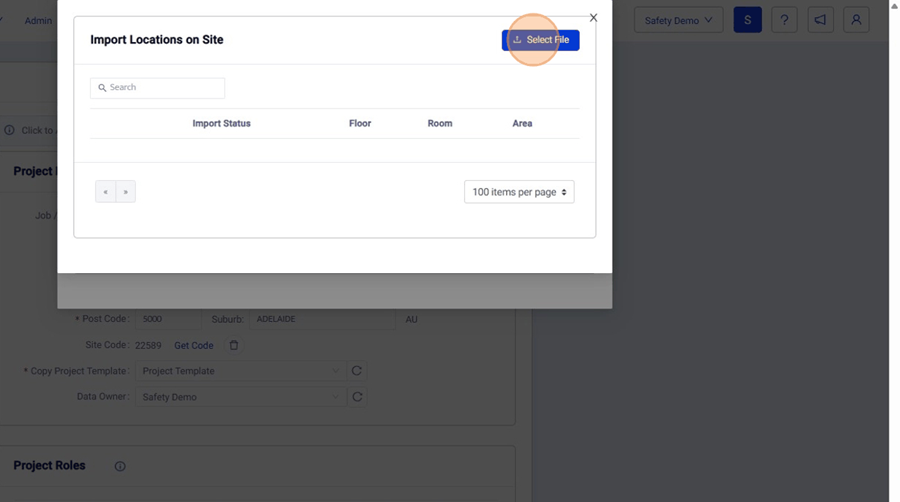
8. In locations, in the "3 Dot" menu, then select "Import"

9. Click "Select File" to import your Excel file.

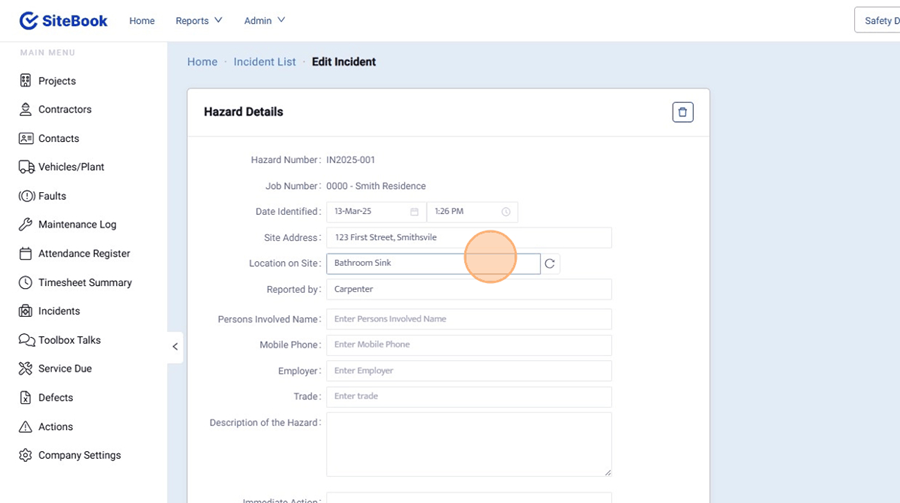
Adding Locations "As you Go"
10. Actions typed into Incidents, Actions and To-Dos will be added to your Locations List.
 Did this answer your question?😞😐😃