
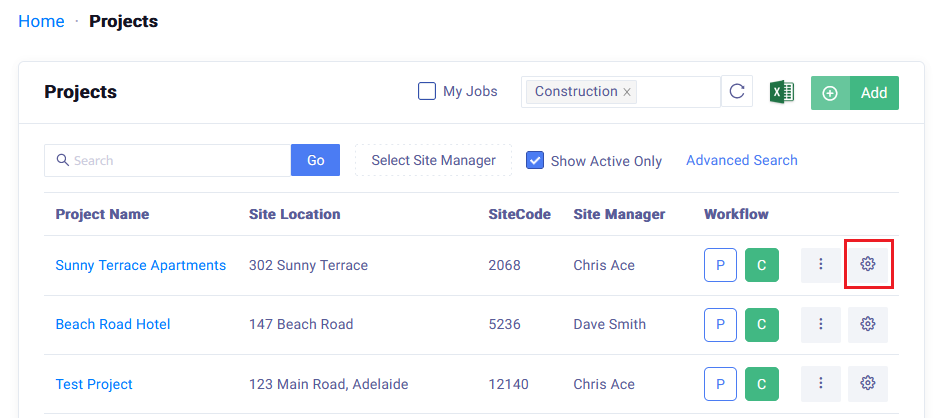
Remove a ProjectHome → Projects → Click on the Project Set Up
 Did this answer your question?😞😐😃
Remove a Project
Updated over 7 months agoHow to Remove a Work Site from the Site List
In SiteBook, you can set the status of a work site to in-active, and it will disappear from the Site List page.
Home → Projects → Click on the Project Set Up  to open the Project Set Up

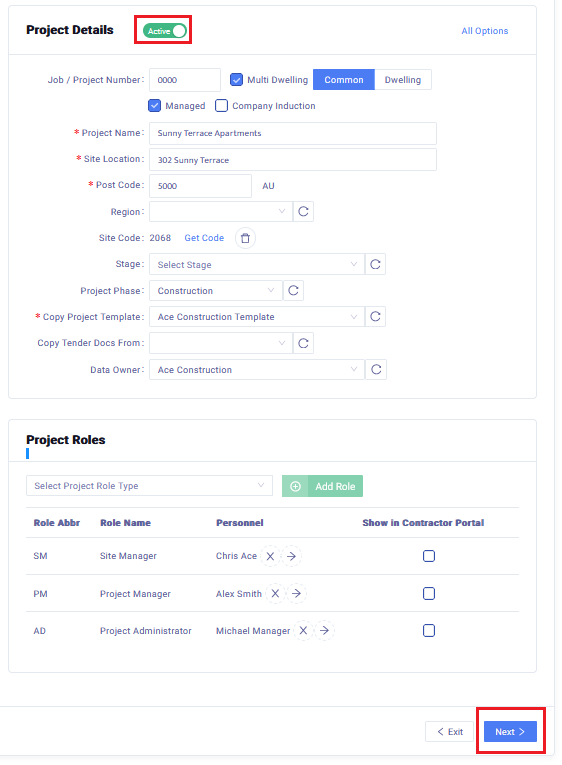
Click the  button and it will switch to
Scroll to the bottom of the page and click on Next to save the changes.

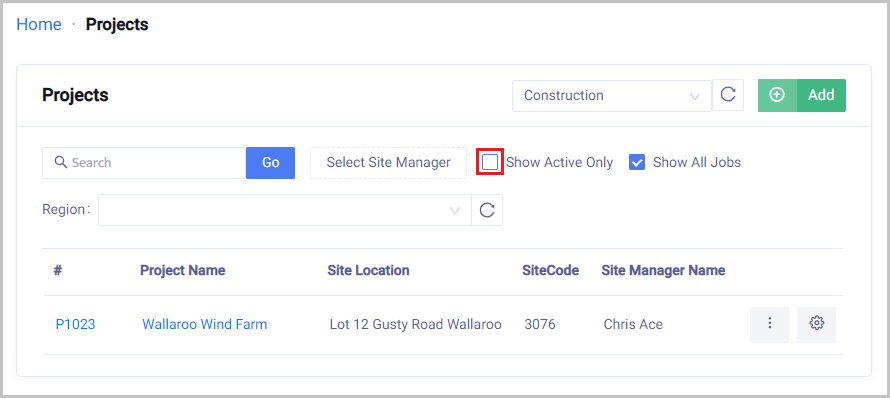
How to find In-Active Projects
Home → Projects → Untick the Show Active Only box to view in-active projects.
 Did this answer your question?😞😐😃