
Set Up Contractors in SiteBook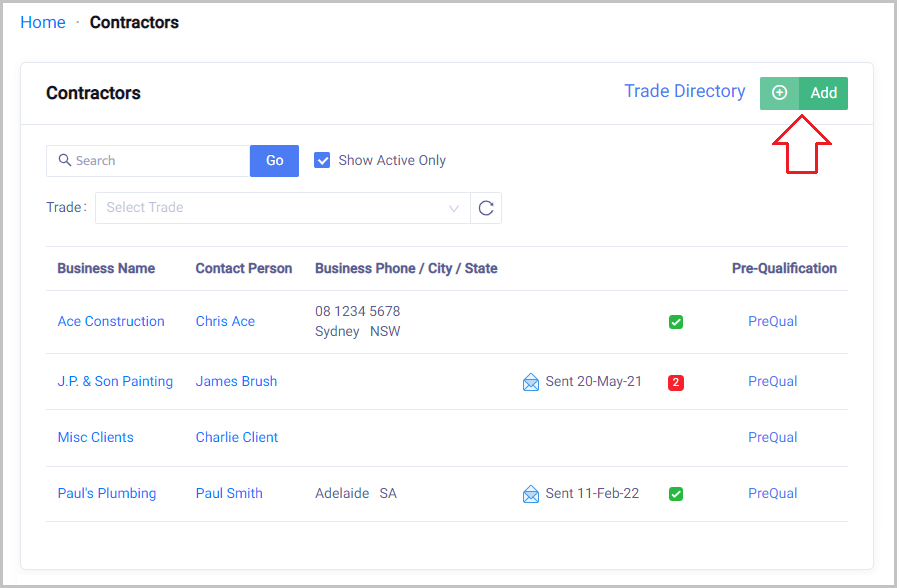
 Did this answer your question?😞😐😃
Set Up Contractors in SiteBook
A guide on how to Add your Contractor to SiteBook.
Updated over a year agoAdd you Contractors
Home → Contractors → Click on the Add button

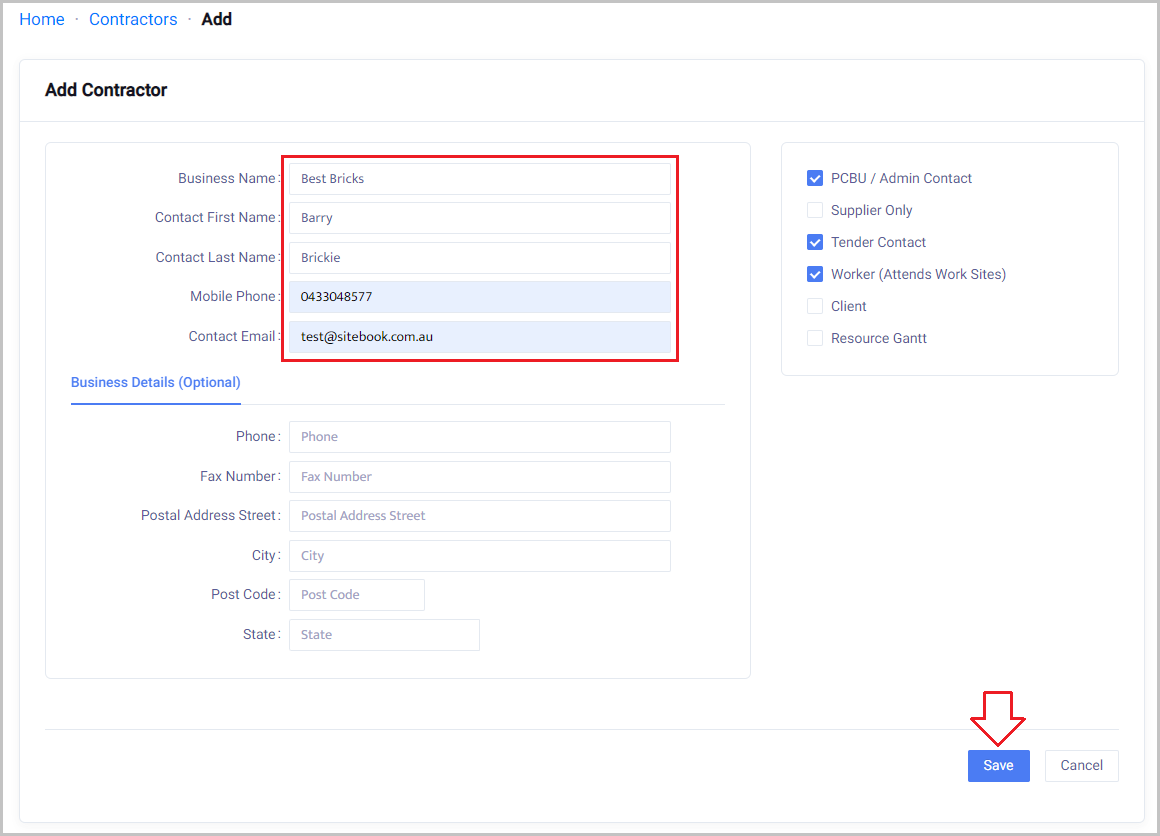
Enter Contractor Details by completing the following fields:
Business or Trading Name
Contact First Name
Contact Last Name
Mobile Number
Contact Email Address
Business or Trading Name
Contact First Name
Contact Last Name
Mobile Number
Contact Email Address
Save once completed.

Note:
Business details will be completed by the Contractor themselves via email once sent from the Personnel section.
Email Subcontractors
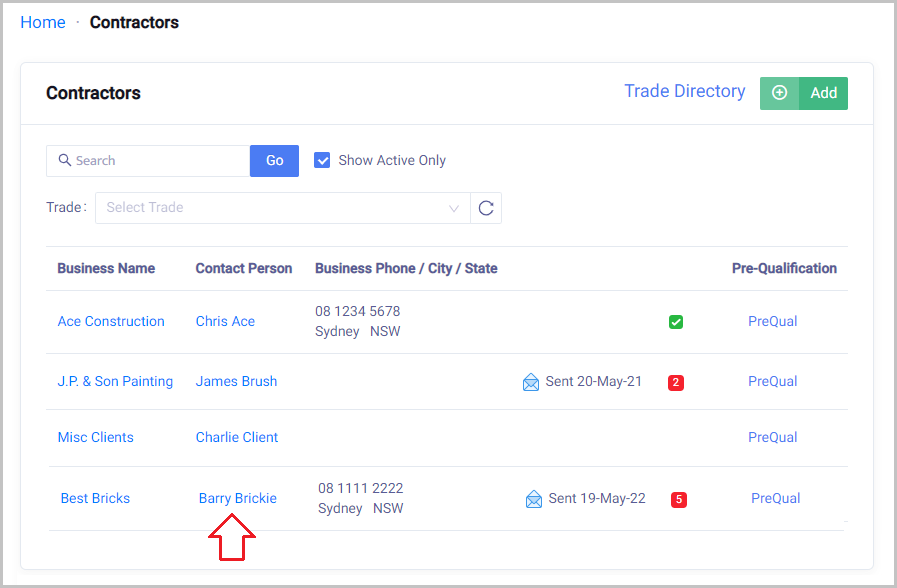
Home → Contractors → Select the Contact Person for the business

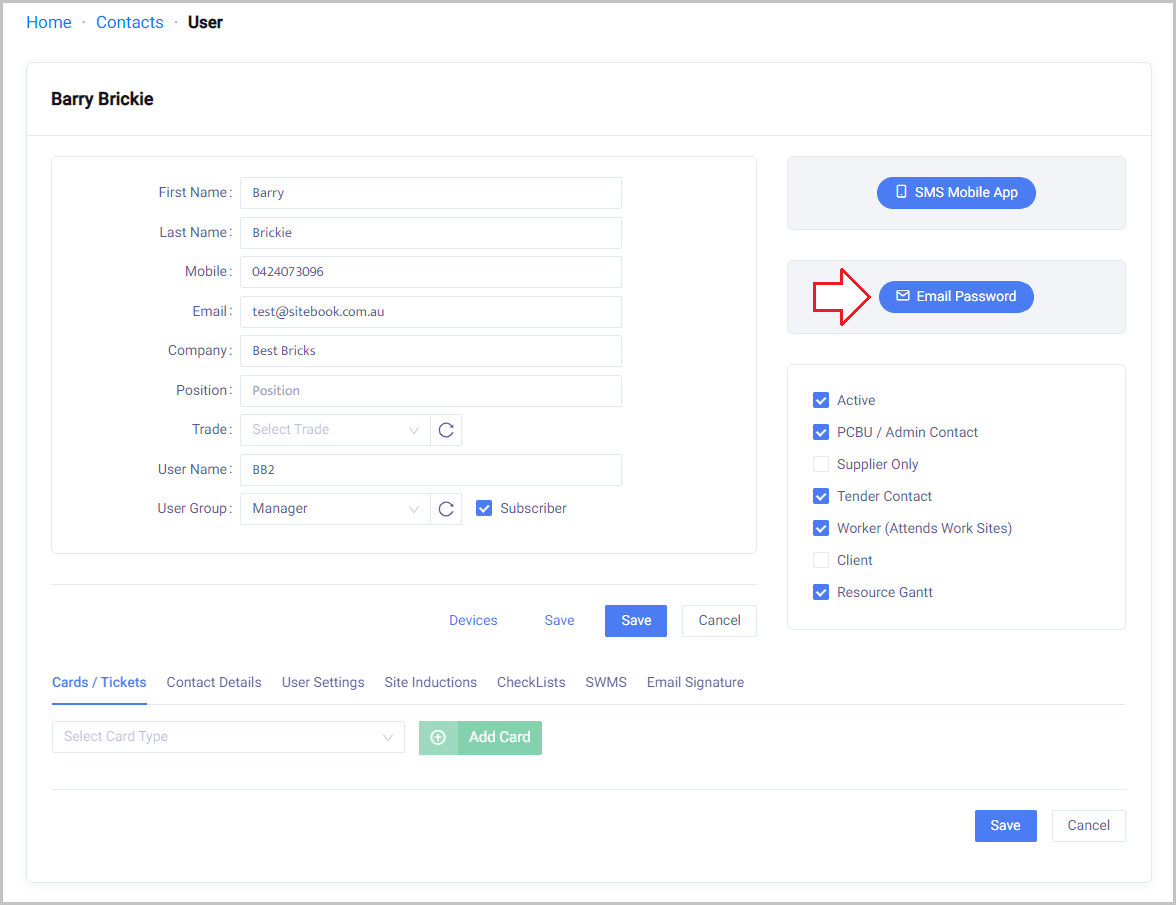
Click on the Email Password button.
 Did this answer your question?😞😐😃