
Table of contents
Updating Contractor Primary Contact on a Project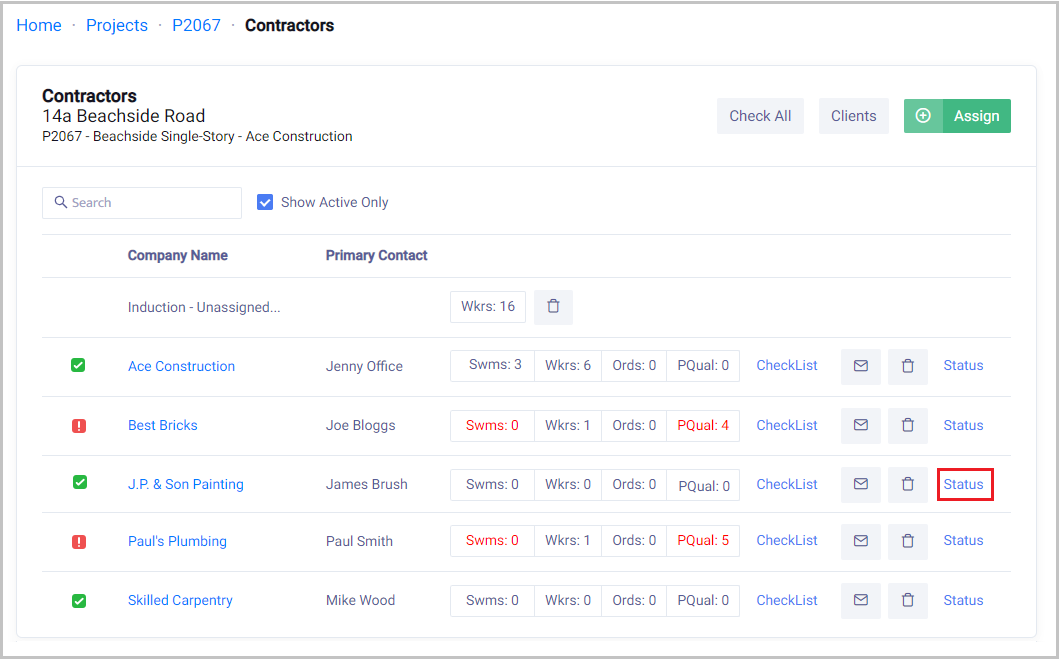
 Did this answer your question?😞😐😃
Updating Contractor Primary Contact on a Project
Updated over 7 months ago Table of contentsHome → Projects → Select Project → Status for the Company that needs updating

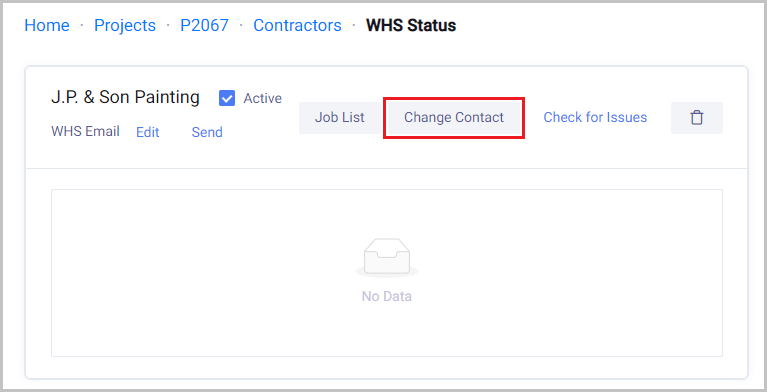
Click on Change Contact

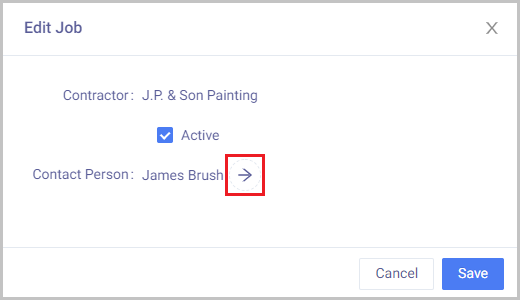
Click on the arrow next to the current Contact Person

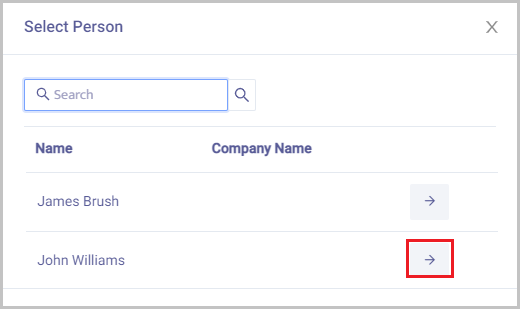
Click on the Arrow next to the new contact person to take over from the last one.

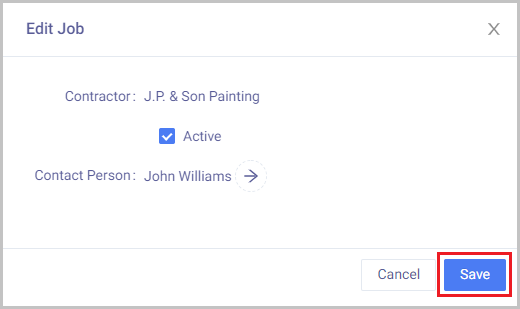
Ensure the new contact person is Active.
Click Save

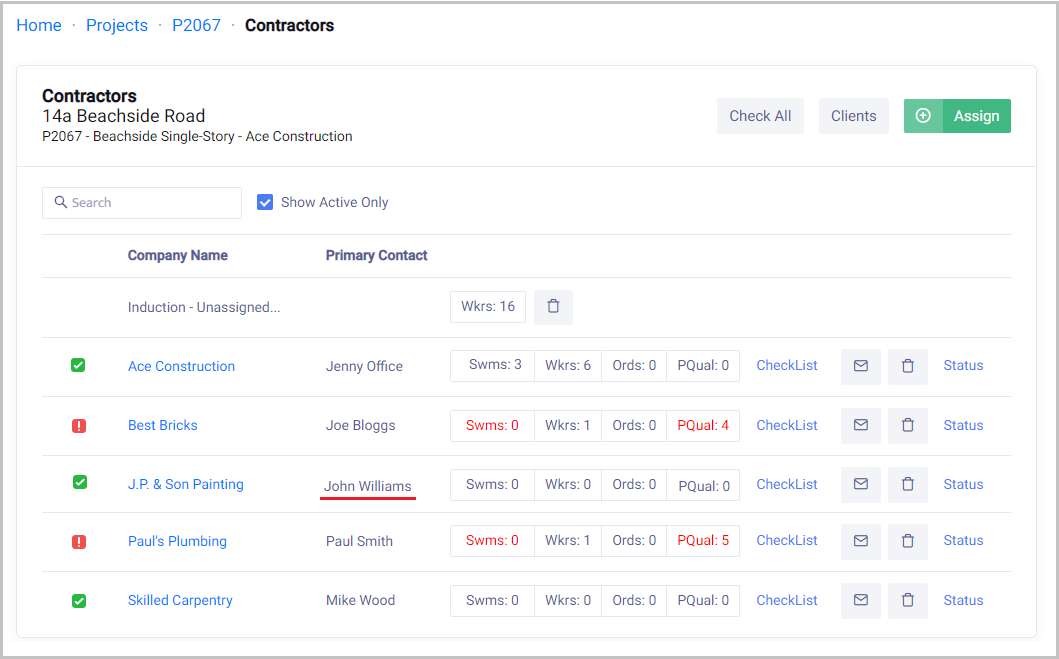
This will now update in the project contractors main view
 Did this answer your question?😞😐😃